This guide explains how to terminate an active workflow in ClientRelay.
Navigate to the workflow you wish to terminate and select it.
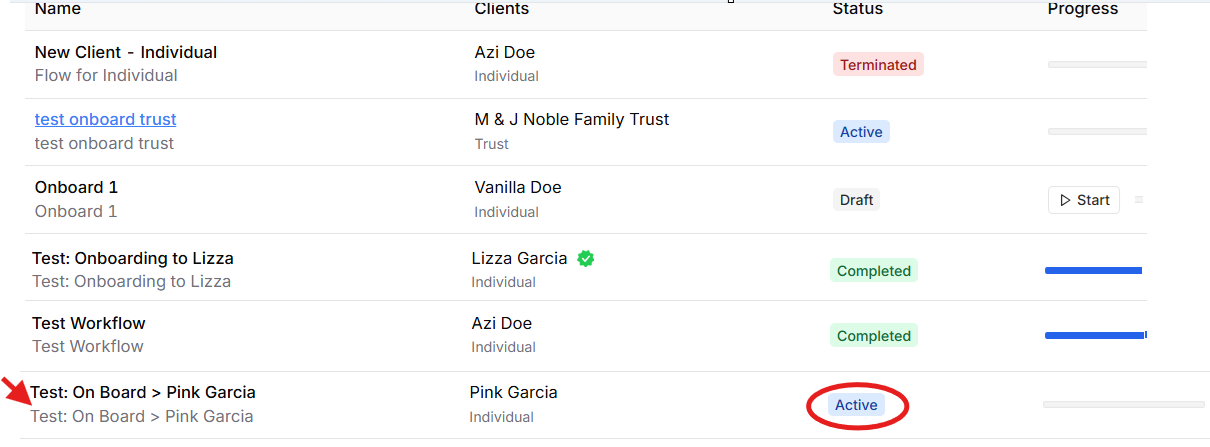
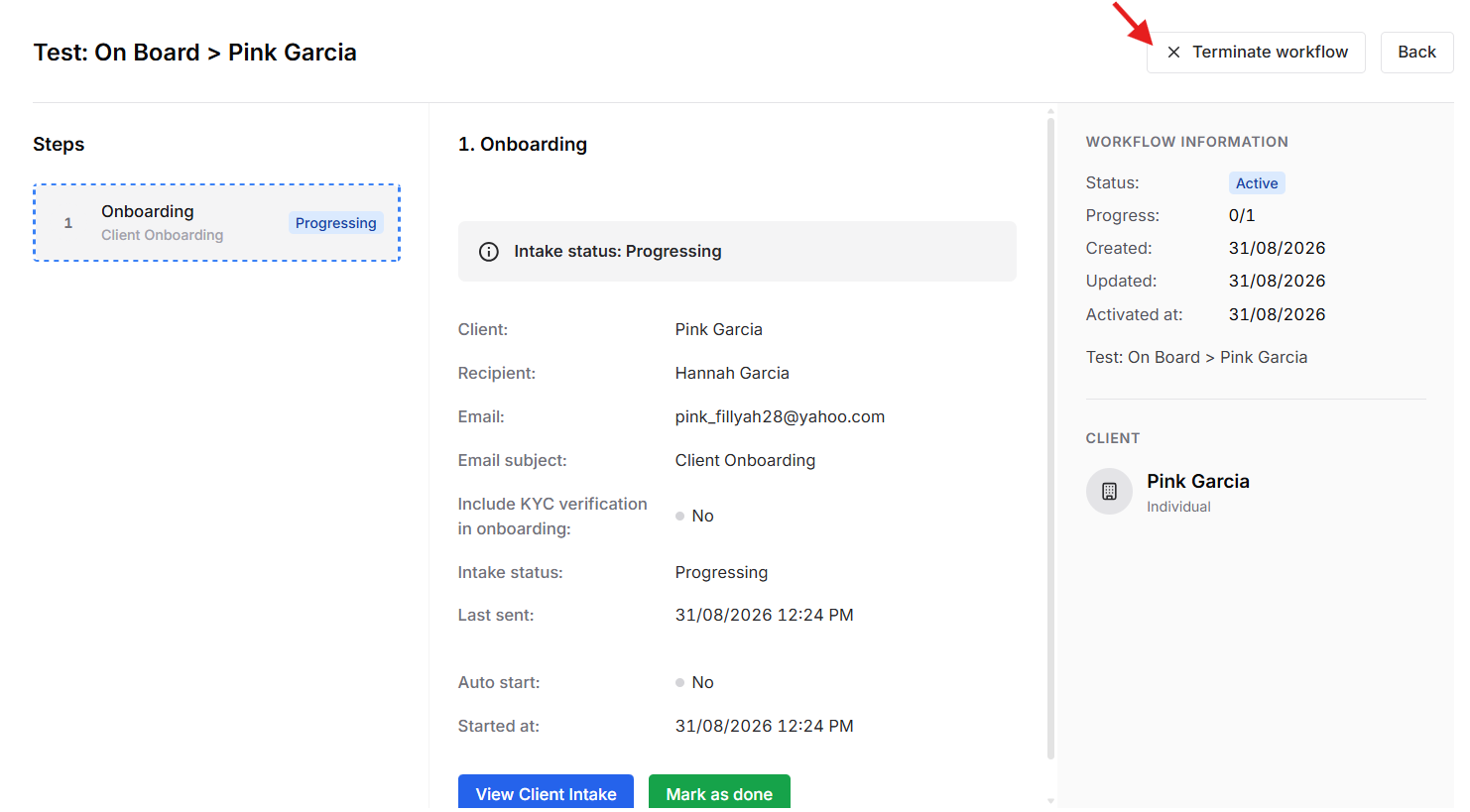
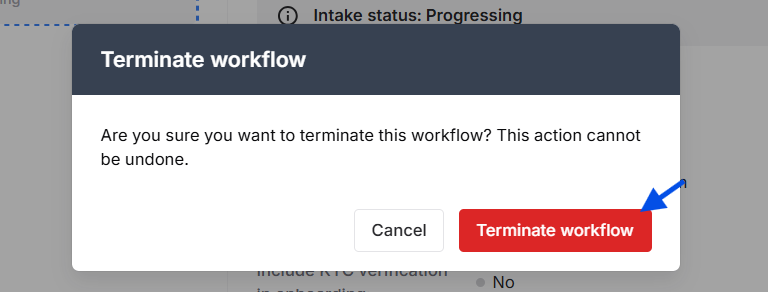
Once the workflow is selected, click Terminate workflow to terminate the active workflow.

The status is now tagged as "Terminated"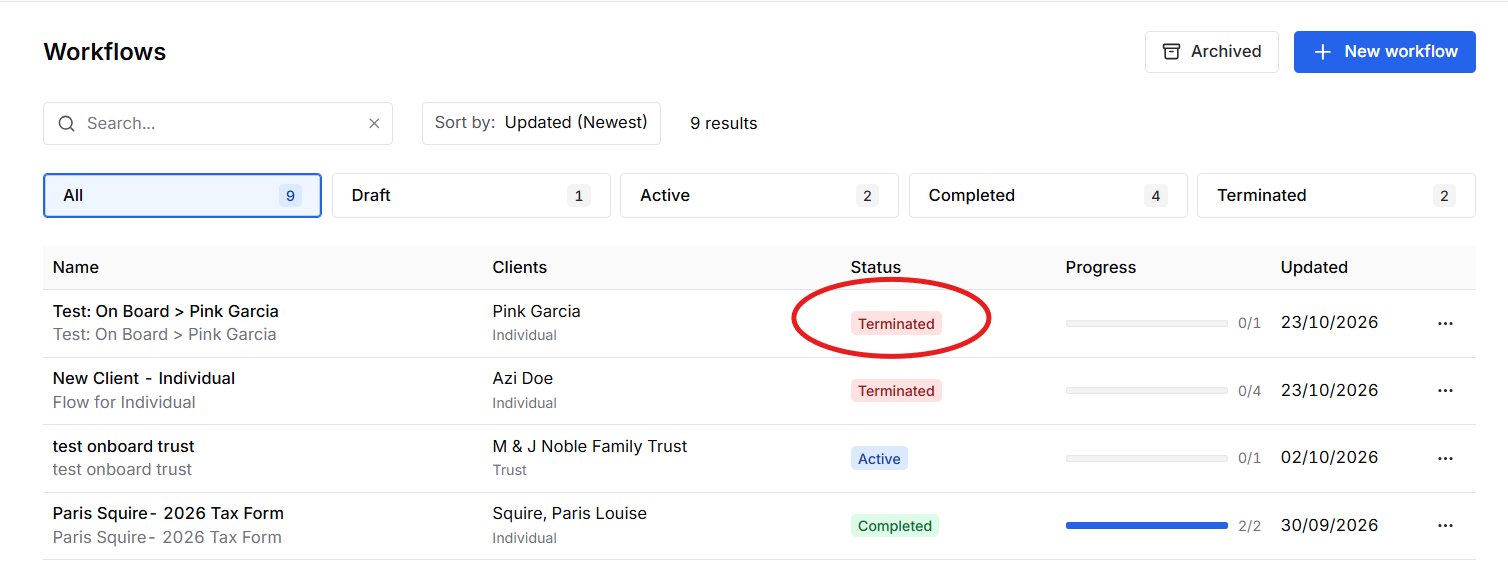
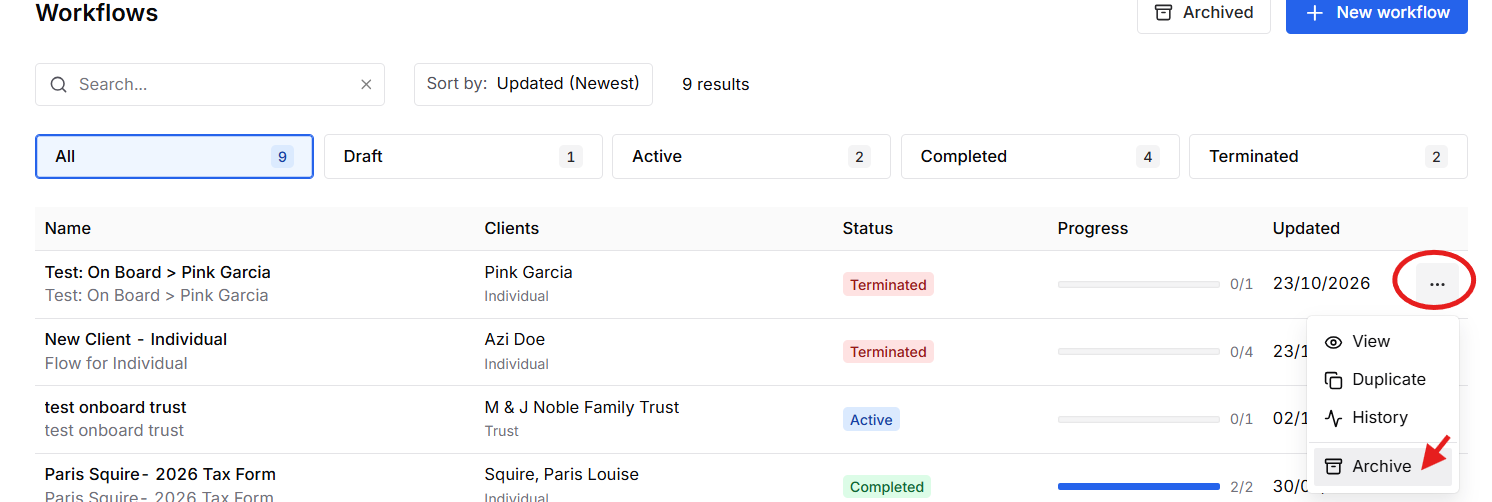
If you do not want the Workflow to be visible via Workflow dashboard, you may "Archive" it
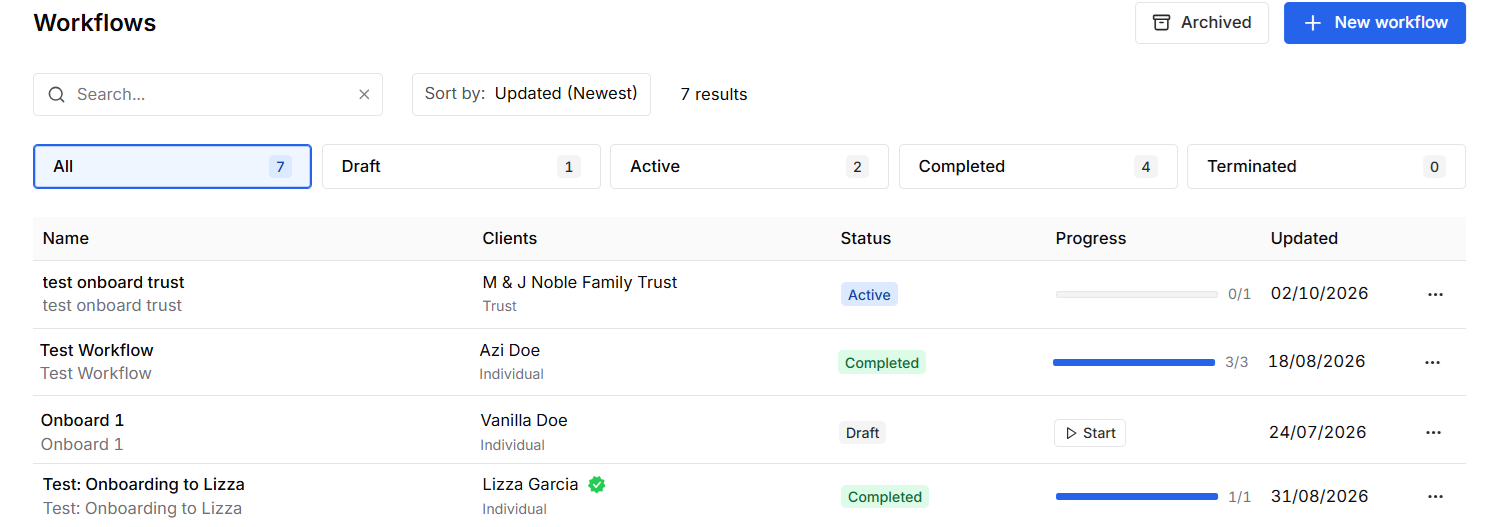
After Archive:
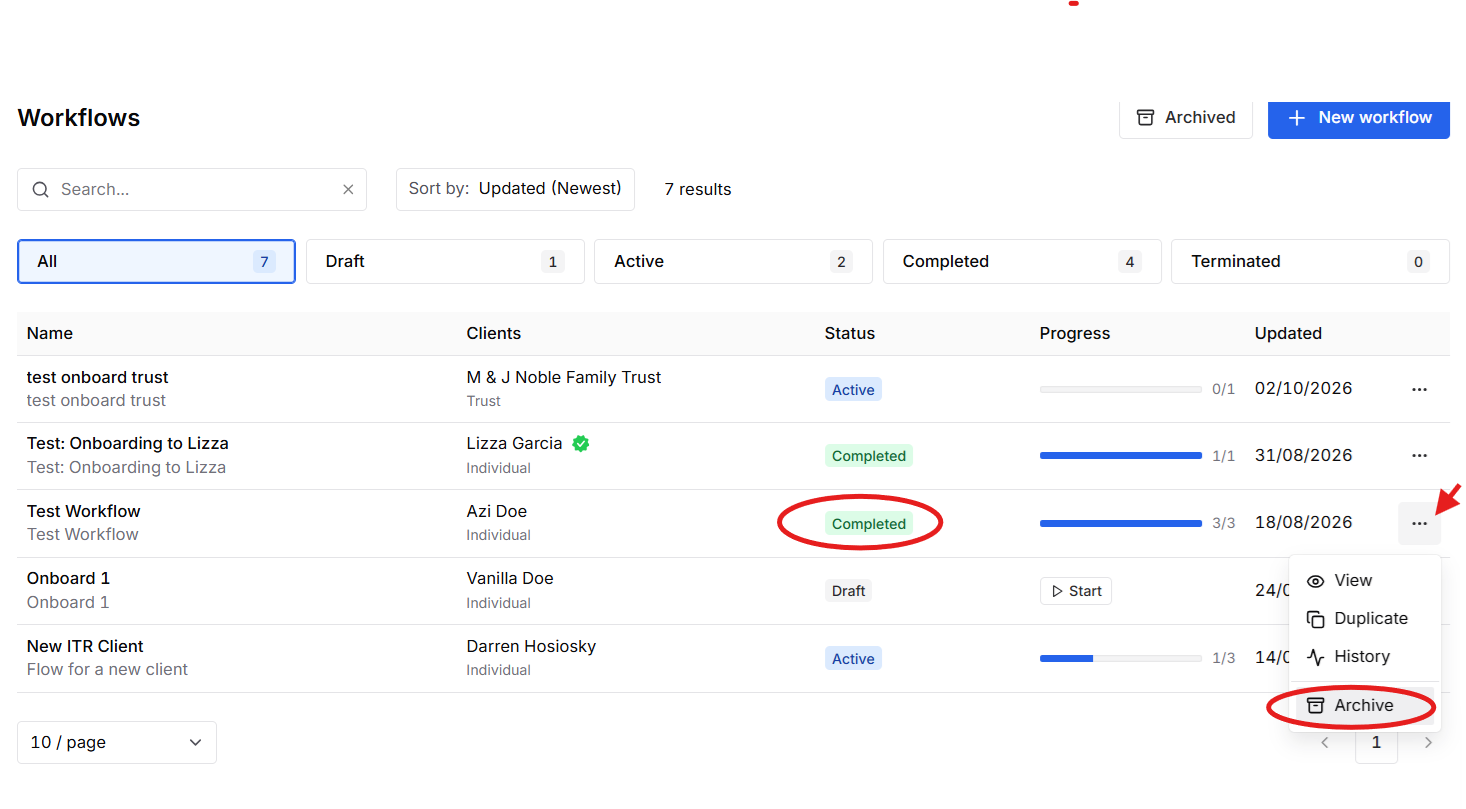
Important: Only Active workflows can be terminated. Completed and Draft workflows cannot be terminated.
The ability to terminate a workflow depends on its current status:
| Workflow Status | Can it be terminated? |
|---|---|
| Active | Yes |
| Completed | No |
| Draft | No |
Note: If the workflow is in Draft or Completed status, the Terminate workflow is not available, you may just select "Archive"
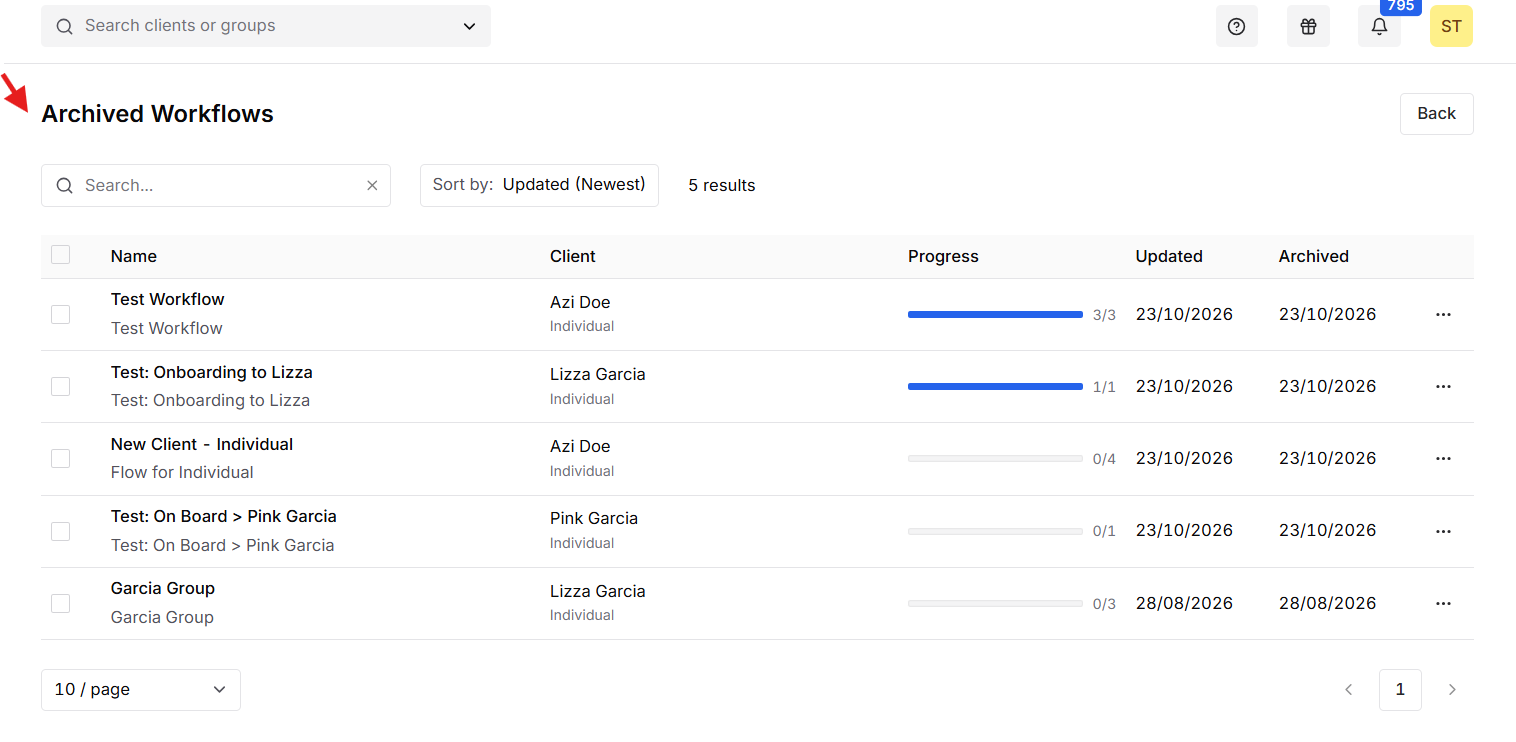
 For the record of the "Archived" Workflow,press here:
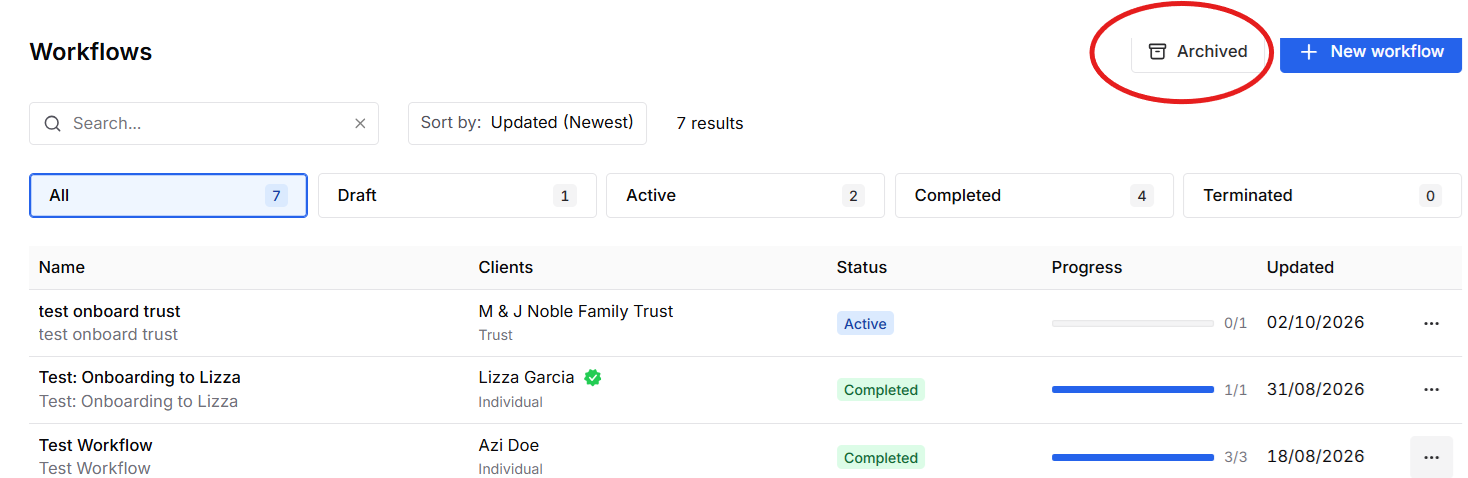
List:
Was this article helpful?
That’s Great!
Thank you for your feedback
Sorry! We couldn't be helpful
Thank you for your feedback
Feedback sent
We appreciate your effort and will try to fix the article