Workflows is an automated sequence of tasks, emails, reminders, and actions designed to streamline your business processes. Workflows help ensure that important steps are completed consistently, reducing manual work and improving communication with clients.
Single view of questionnaires, onboarding checks, and proposals come together into an automated sequence. Instead of manually dispatching the next document every time a client completes a task, you build the chain once and let the system push the process forward.
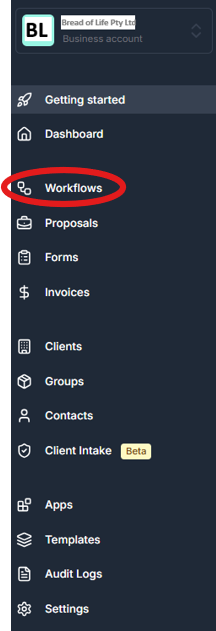
To start a new sequence, navigate to the Workflows tab and create a new workflow.
Assign a clear Workflow Title (e.g., "Annual Services Sequence") and an optional description.
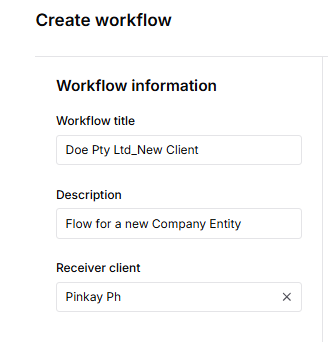
"Receiver Client" is the recipient client of the entity.
Select "+Add Workflow"

Create configuration for the entity
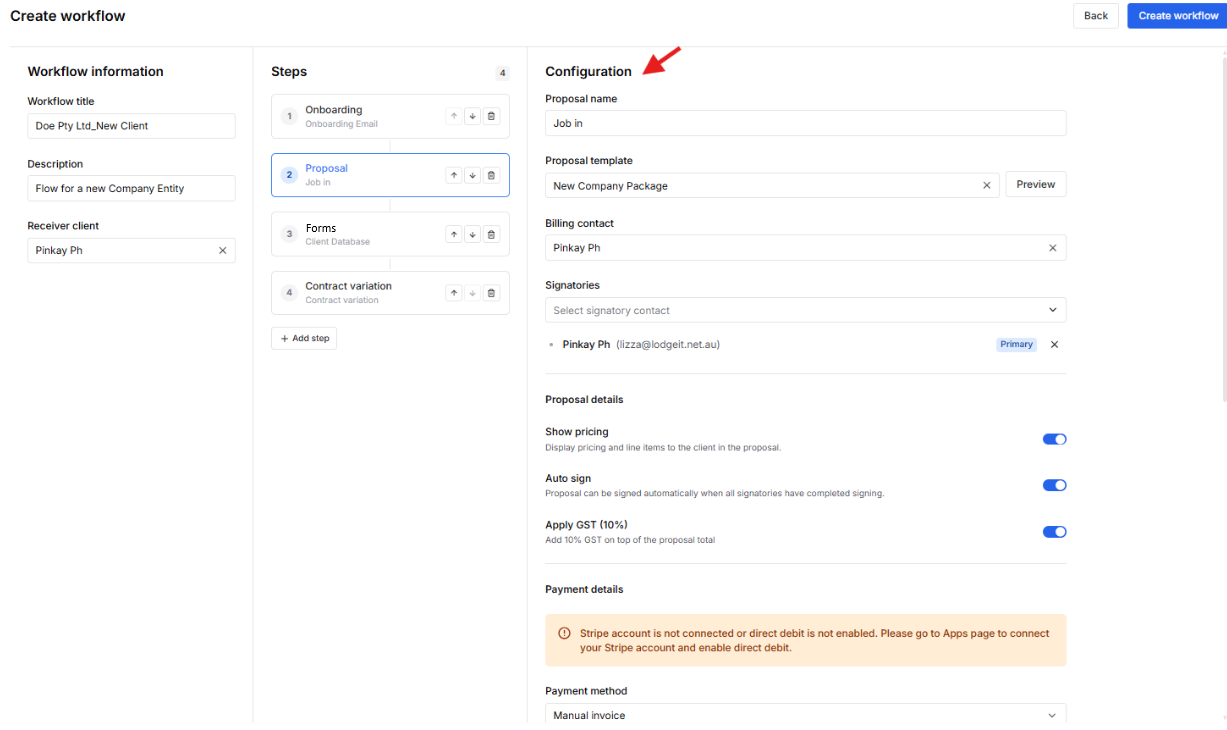
Add "Steps" necessary for the entity:
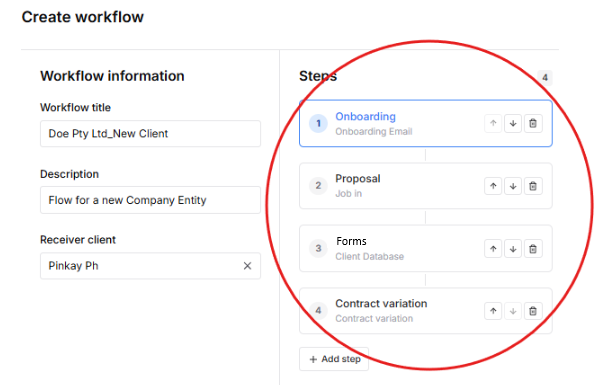
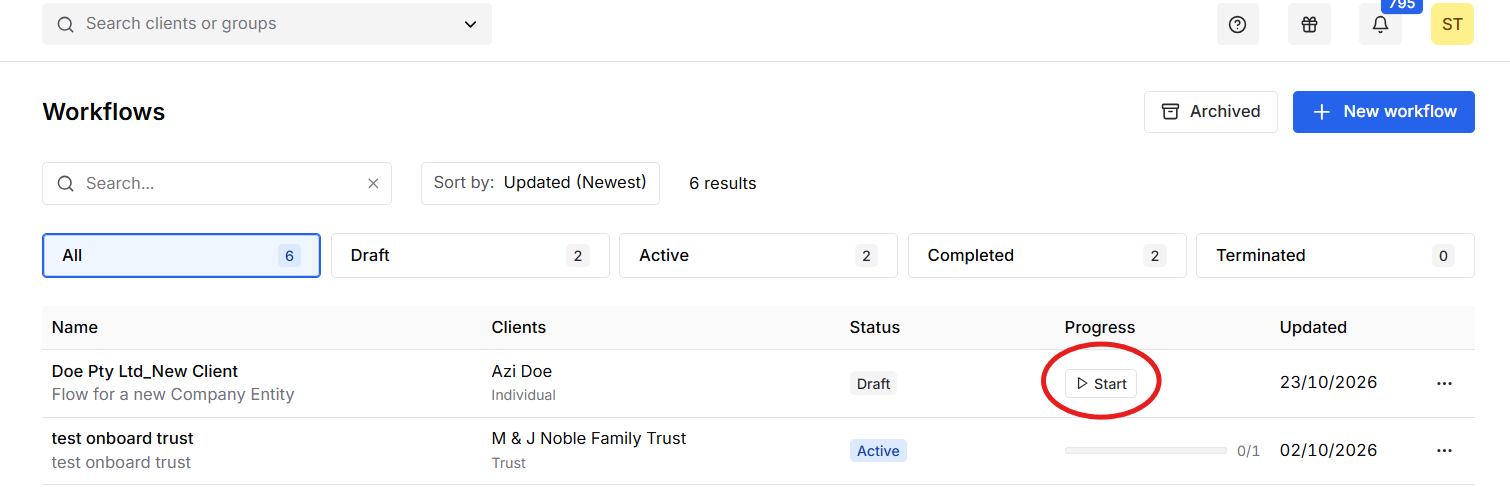
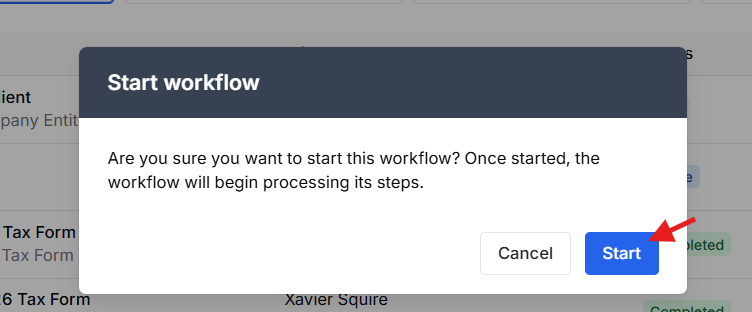
In order for the Workflow to proceed, you need to manually press "Start"
Note:
- Users can create a client intake without sending an onboarding email.
- For sent email engagements, check your Sent mailbox to view what was sent. This feature must first be configured under ClientRelay > Settings > Outgoing Mail Server.
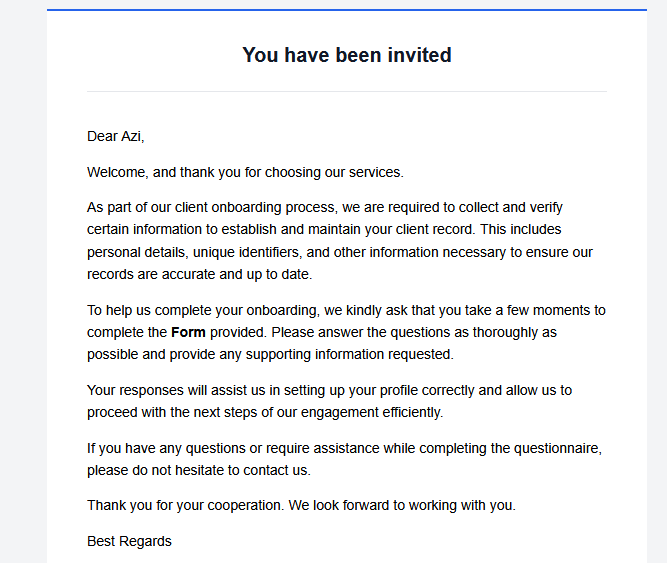
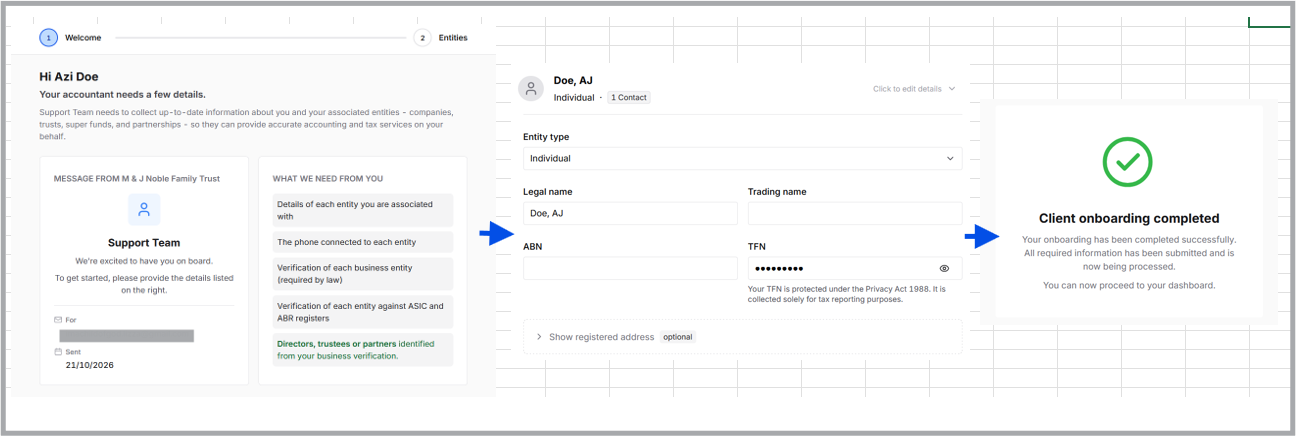
Client view:

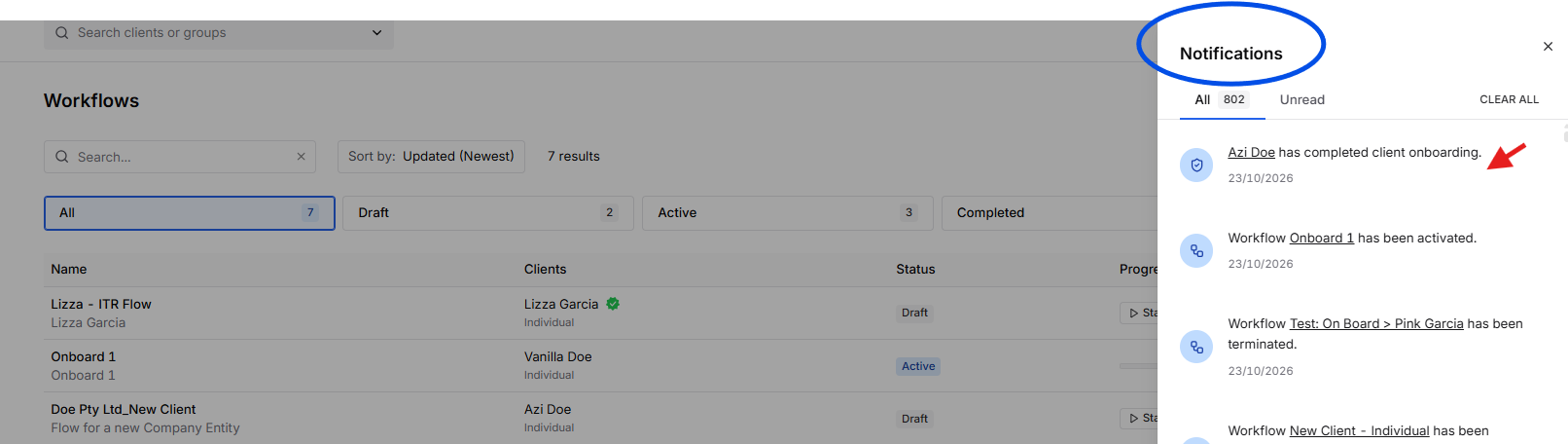
Agent will received a notification:
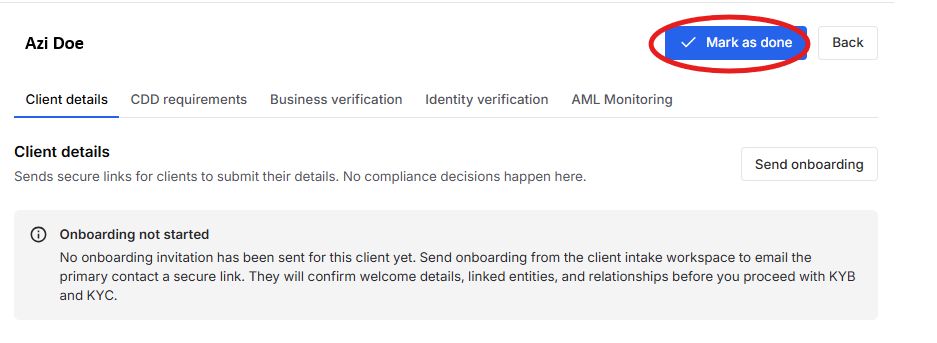
After agent reviewed the details, it needs to manually press "Mark as done" to proceed to the next step.
If you encounter issues while creating or managing workflows, review your workflow settings and triggers to ensure they are configured correctly. Properly configured workflows can significantly improve efficiency, consistency, and client experience within Client Relay.
Learn more about the process: Onboarding-Proposal-Questionnaire
Was this article helpful?
That’s Great!
Thank you for your feedback
Sorry! We couldn't be helpful
Thank you for your feedback
Feedback sent
We appreciate your effort and will try to fix the article