This guide explains how to update services and pricing within a draft proposal:

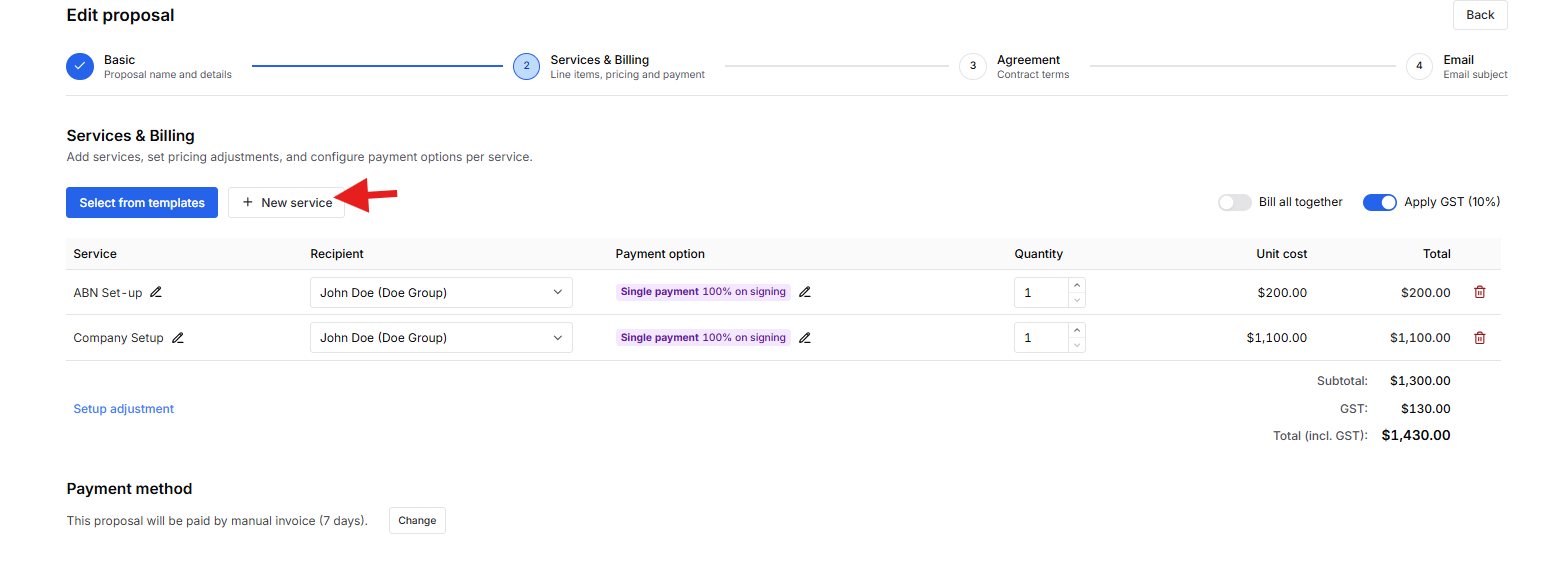
Edit Services
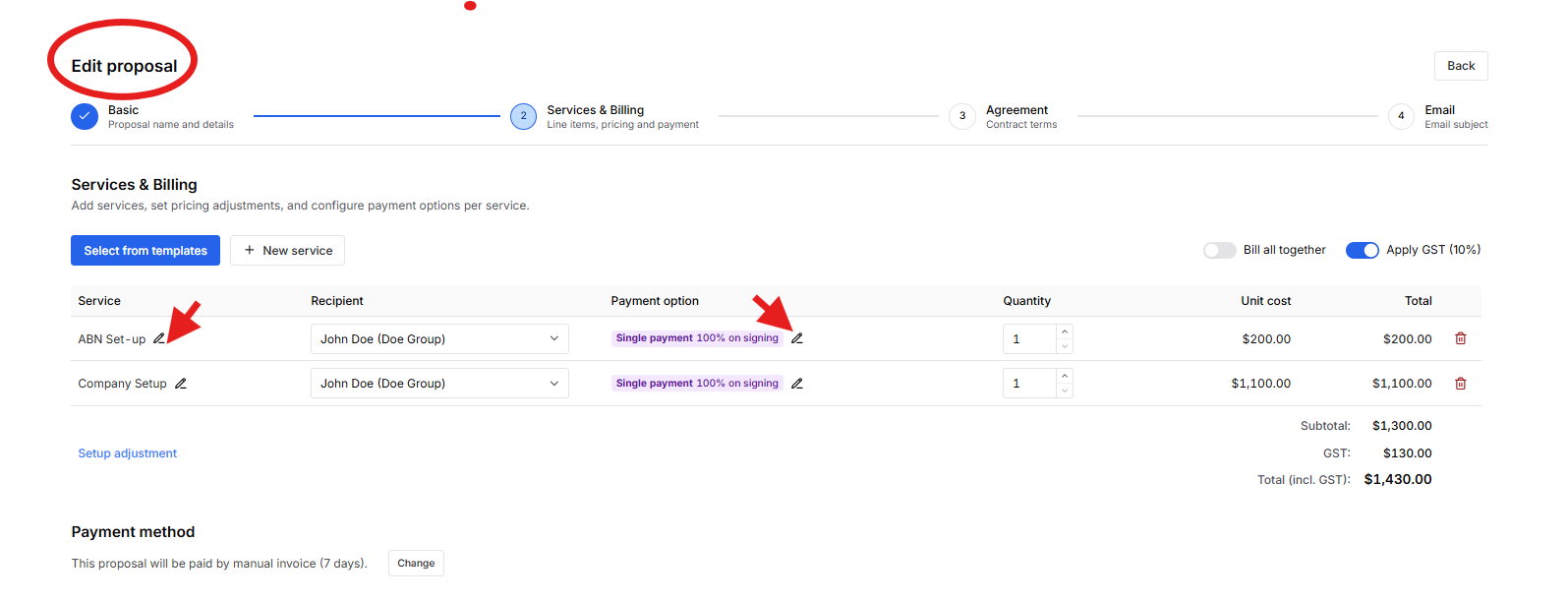
- Scroll to the Services section.
- To modify an existing service:
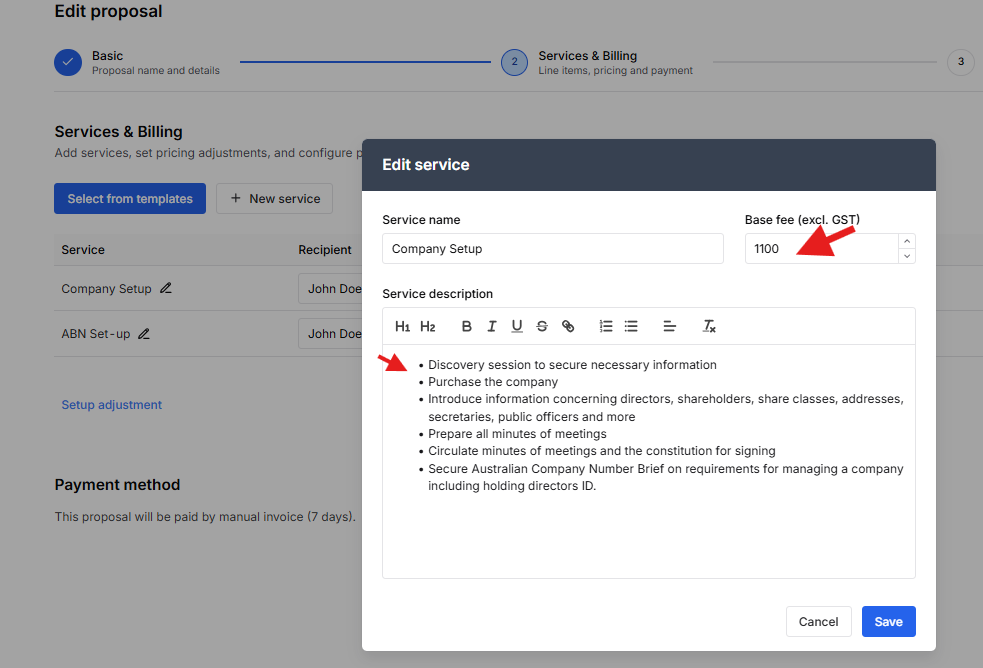
- Click the service item via the pen icon
- Update the service name, description, and pricing.
 Note: User can choose "Fixed amount" payment option.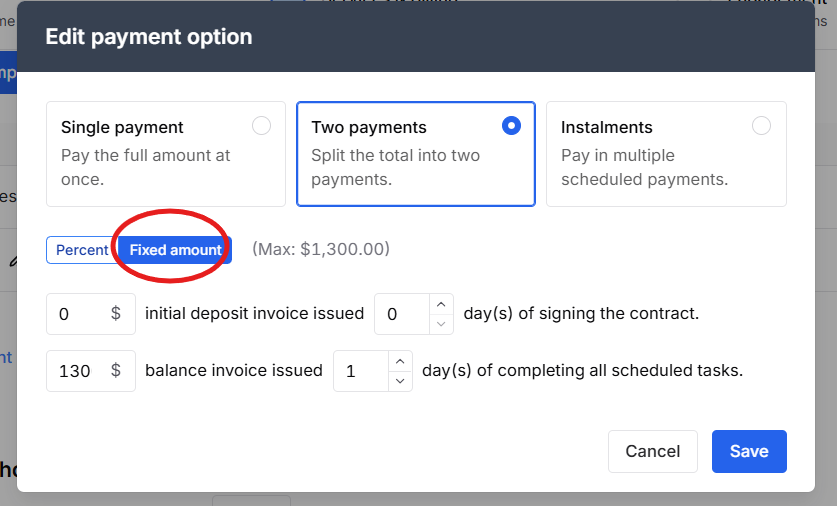
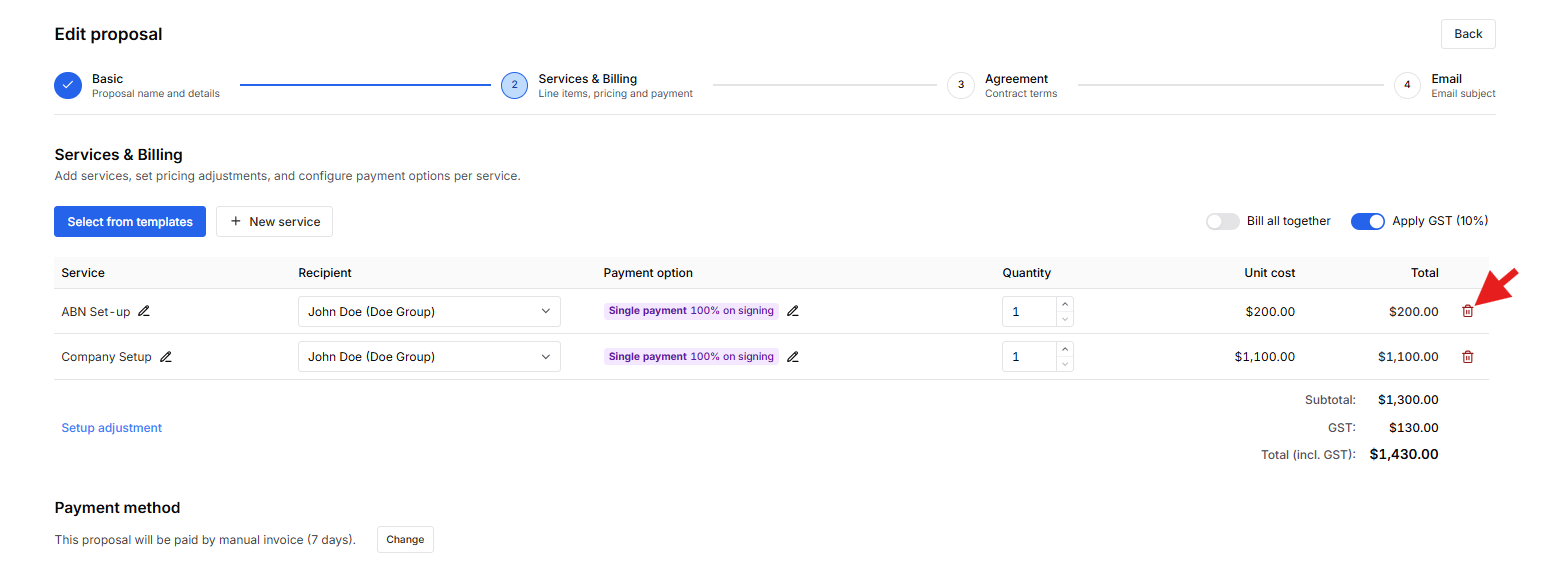
To remove a service:
- Select the service and click Trashbin
To add a new service:
- Click New Service.
- Select the desired service and enter the required information.
Was this article helpful?
That’s Great!
Thank you for your feedback
Sorry! We couldn't be helpful
Thank you for your feedback
Feedback sent
We appreciate your effort and will try to fix the article