Getting Started page with a step-by-step checklist (adding clients, contacts, sending a first proposal or form, onboarding a client, inviting team members) use the progress tracker to monitor your progress and identify what needs to be completed next.
Make sure to complete all 7 steps to get your account set up and ready to use.
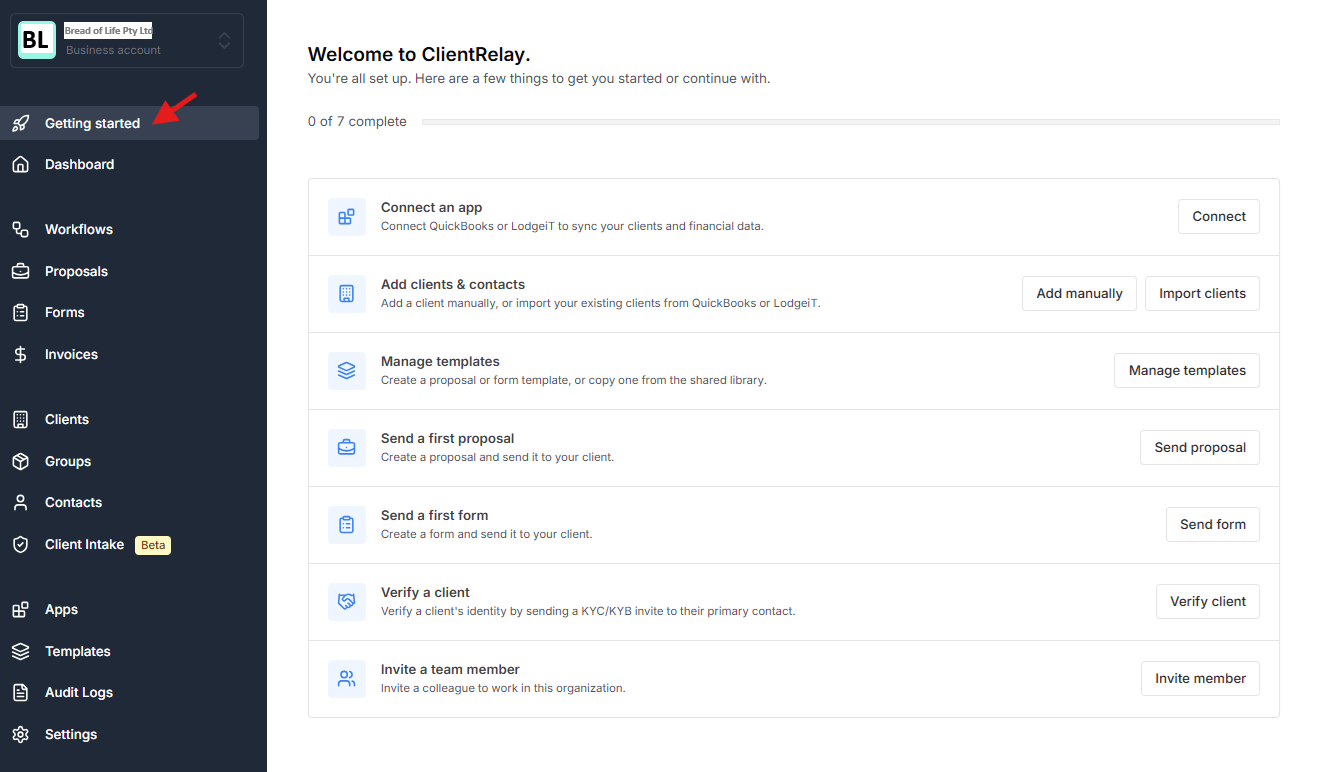
Connect QuickBooks or LodgeiT to sync your clients and financial data.
Add a client manually, or import your existing clients from QuickBooks or Lodgeit.
To ensure a smooth workflow, prepare or copy (from shared library) a templates before sending proposals to clients. This will save you time, minimize distractions, and help maintain a seamless workflow.
Create a proposal and send it to your client.
Create a form and send it to your client.
Verify a client's identity by sending a KYC/KYB invite to their primary contact.
Invite a colleague to work in this organization.
Related guide
Was this article helpful?
That’s Great!
Thank you for your feedback
Sorry! We couldn't be helpful
Thank you for your feedback
Feedback sent
We appreciate your effort and will try to fix the article