The Identity Verification (Know Your Customer or KYC) section is used to verify the identity of individual client contacts.
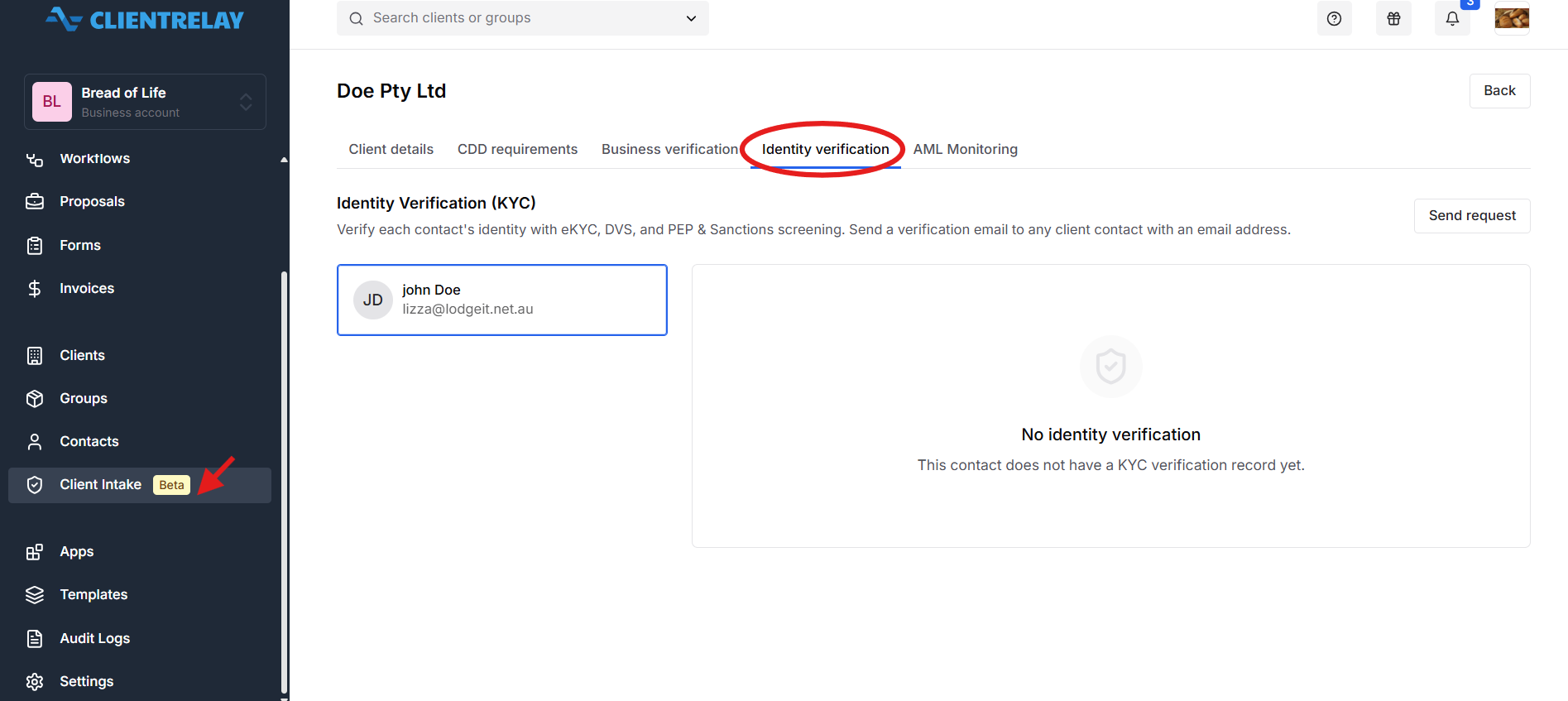
ClientRelay supports identity verification through:
Electronic Know Your Customer (eKYC): Electronic identity verification checks.
Document Verification Service (DVS): Checks eligible identity document details against the relevant issuing-agency records, where supported.
PEP and Sanctions Screening: Screening for politically exposed persons (PEPs) and relevant sanctions listings.
Users can send a verification email to any client contact who has an email address.
How it works:
Open the Identity Verification (KYC) section.
Identify the client contacts who require verification.
Confirm that the relevant contact has an email address.
Send the identity verification email to the contact.
Allow the contact to complete the required verification steps.
Review the verification results and status in ClientRelay.
Follow up on any incomplete or unsuccessful checks as appropriate.
Purpose: To verify the identity of individual contacts associated with the client and support the relevant due diligence process.
Important: Having an email address allows a verification email to be sent, but it does not mean the contact has passed identity verification. Review the actual verification status before proceeding.
Related Guide:
Was this article helpful?
That’s Great!
Thank you for your feedback
Sorry! We couldn't be helpful
Thank you for your feedback
Feedback sent
We appreciate your effort and will try to fix the article