Proposals are made out to a certain Client. The Client will have one or more authorised signatories who exist in the system as Contacts. If a Proposal is sent to a human client, it's likely that the human Client also has a Contact record.
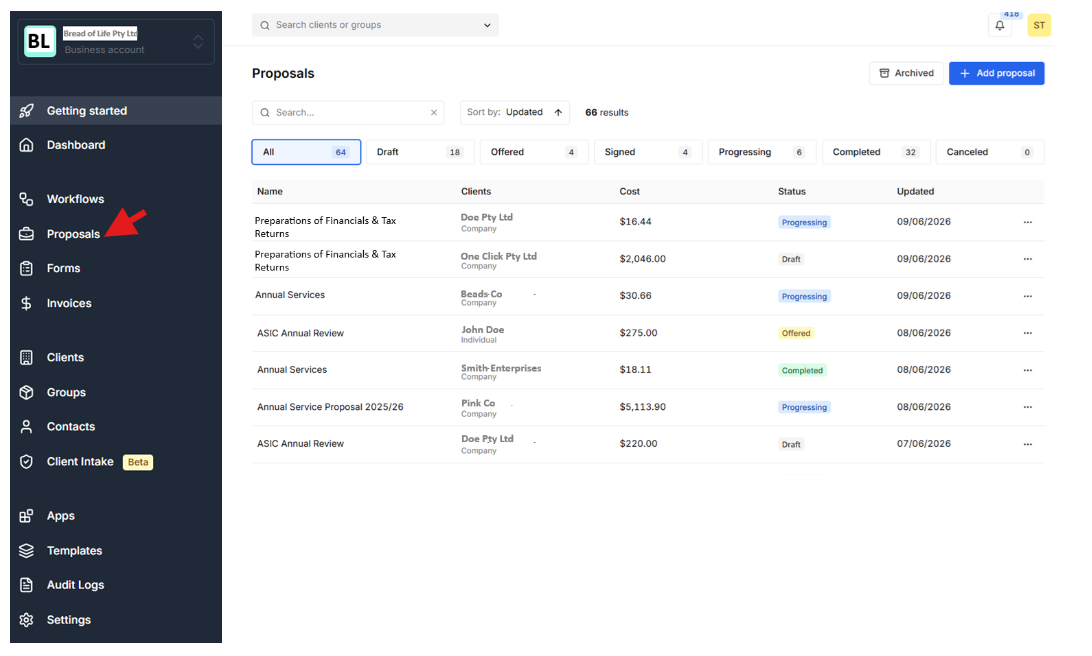
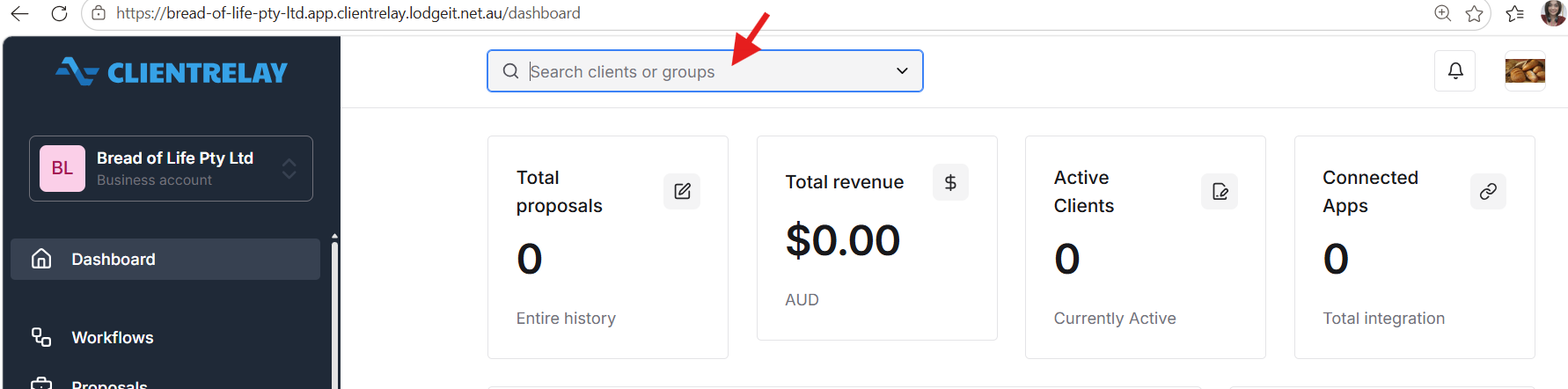
Step 1: Select or Add a Client
- Search for and select an existing client.
- If the client does not exist, create a new client record by entering the required details.
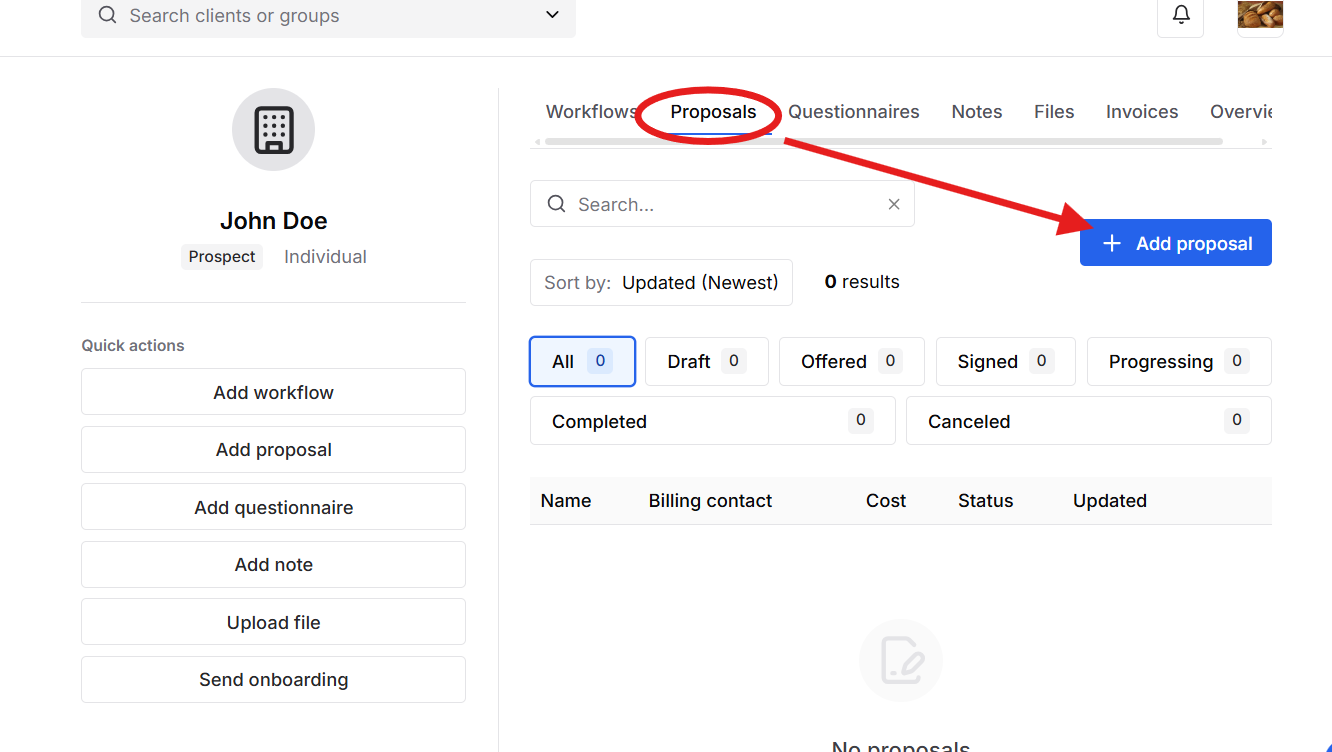
Step 2: Press "Proposal" tab, and select "+Add Proposal"
Enter and complete the setps for Proposal details.
Note: Make sure that you have set-up the "Services","Agreement/Engagement", and "email" template first.
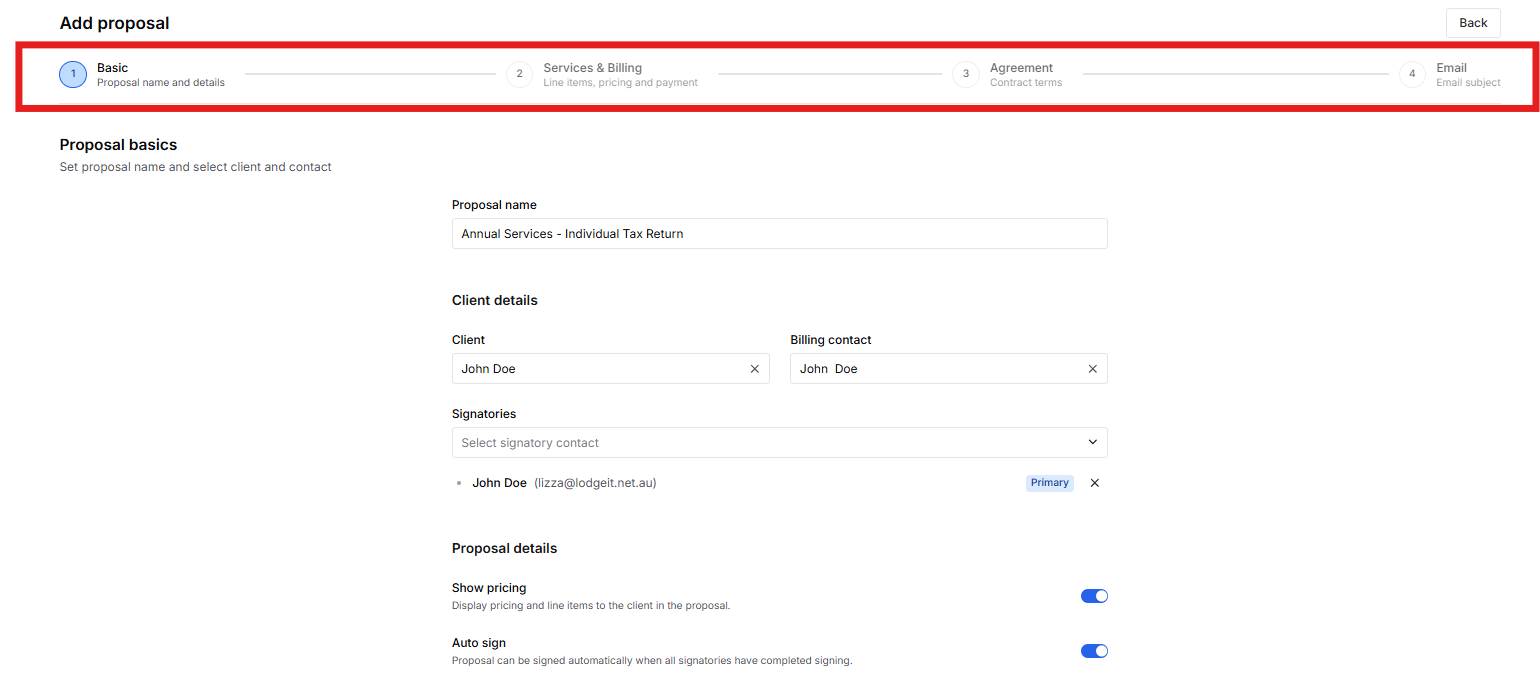
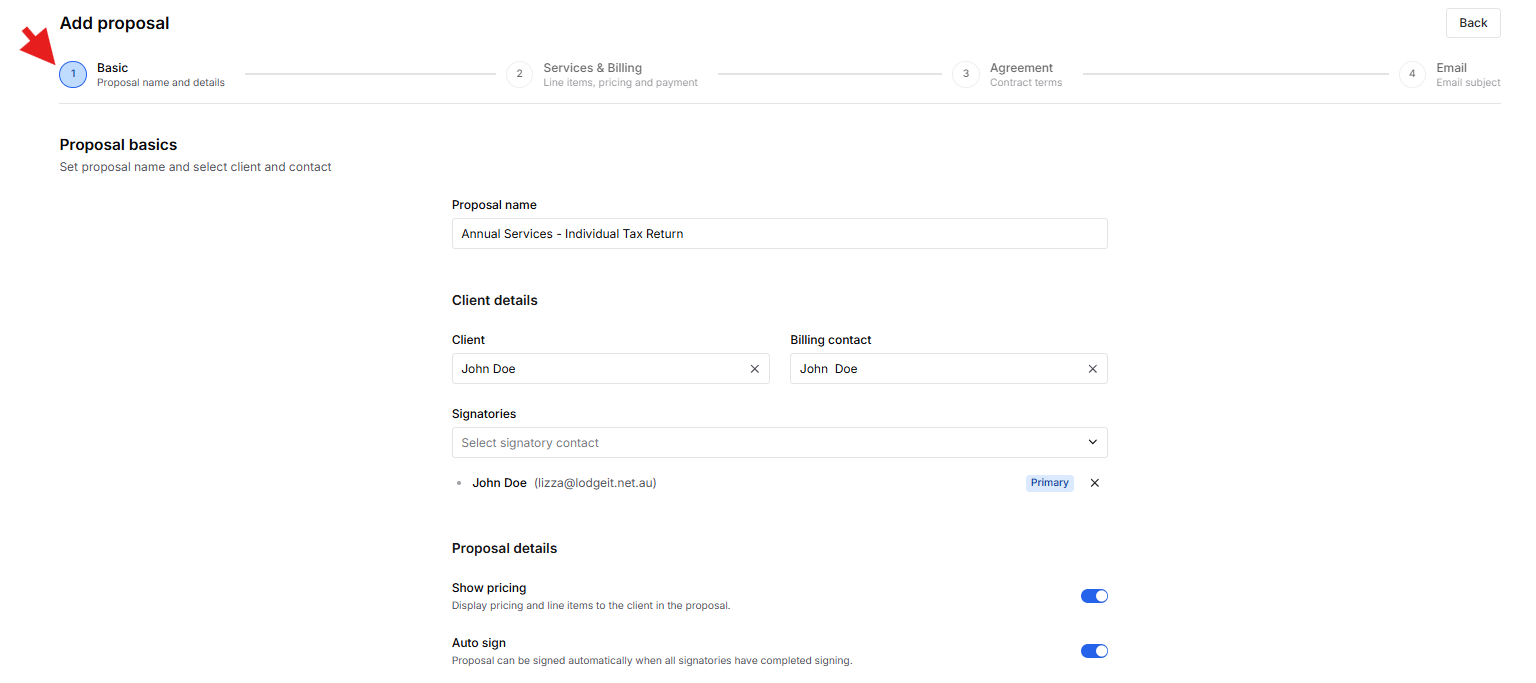
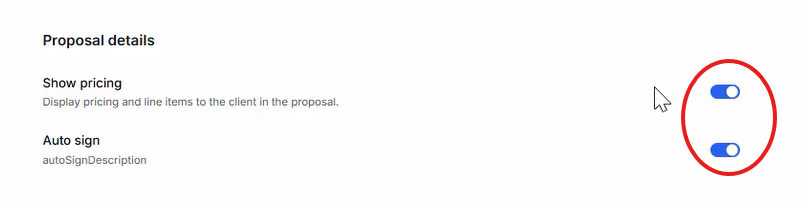
If you do not tick the following, you cannot see all the granular pricing, you can only see the final amount.
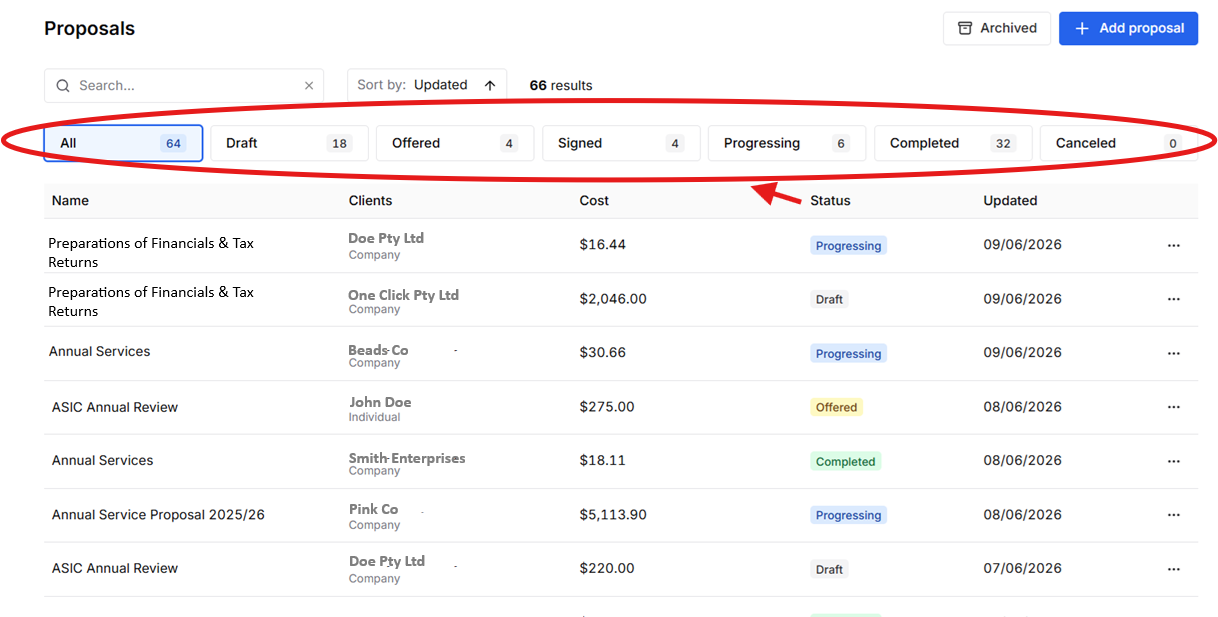
Monitoring the status
 Related guide:
Was this article helpful?
That’s Great!
Thank you for your feedback
Sorry! We couldn't be helpful
Thank you for your feedback
Feedback sent
We appreciate your effort and will try to fix the article