Synchronise your contacts between ClientRelay and QuickBooks. It automatically create and send invoices in QuickBooks right from your ClientRelay "Apps" interface.
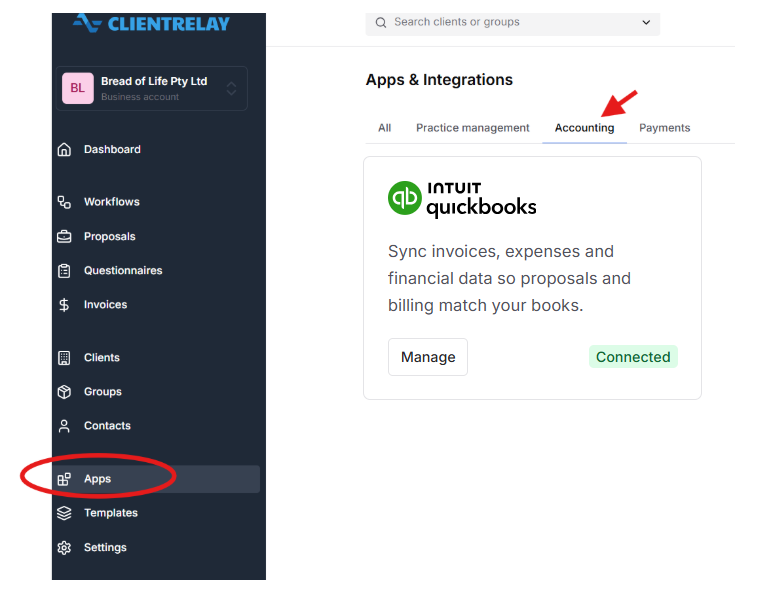
Navigate via "Apps" and select "Accounting"
If you want to send engagements or questionnaires, you'll want to import your clients. To do this, import via or QuickBooks.
Related guide:
Invoicing & Payment Collection
Troubleshooting Failed Invoices
Was this article helpful?
That’s Great!
Thank you for your feedback
Sorry! We couldn't be helpful
Thank you for your feedback
Feedback sent
We appreciate your effort and will try to fix the article