Adding team members to ClientRelay allows your staff to collaborate, manage clients, and access the features they need based on their assigned permissions.
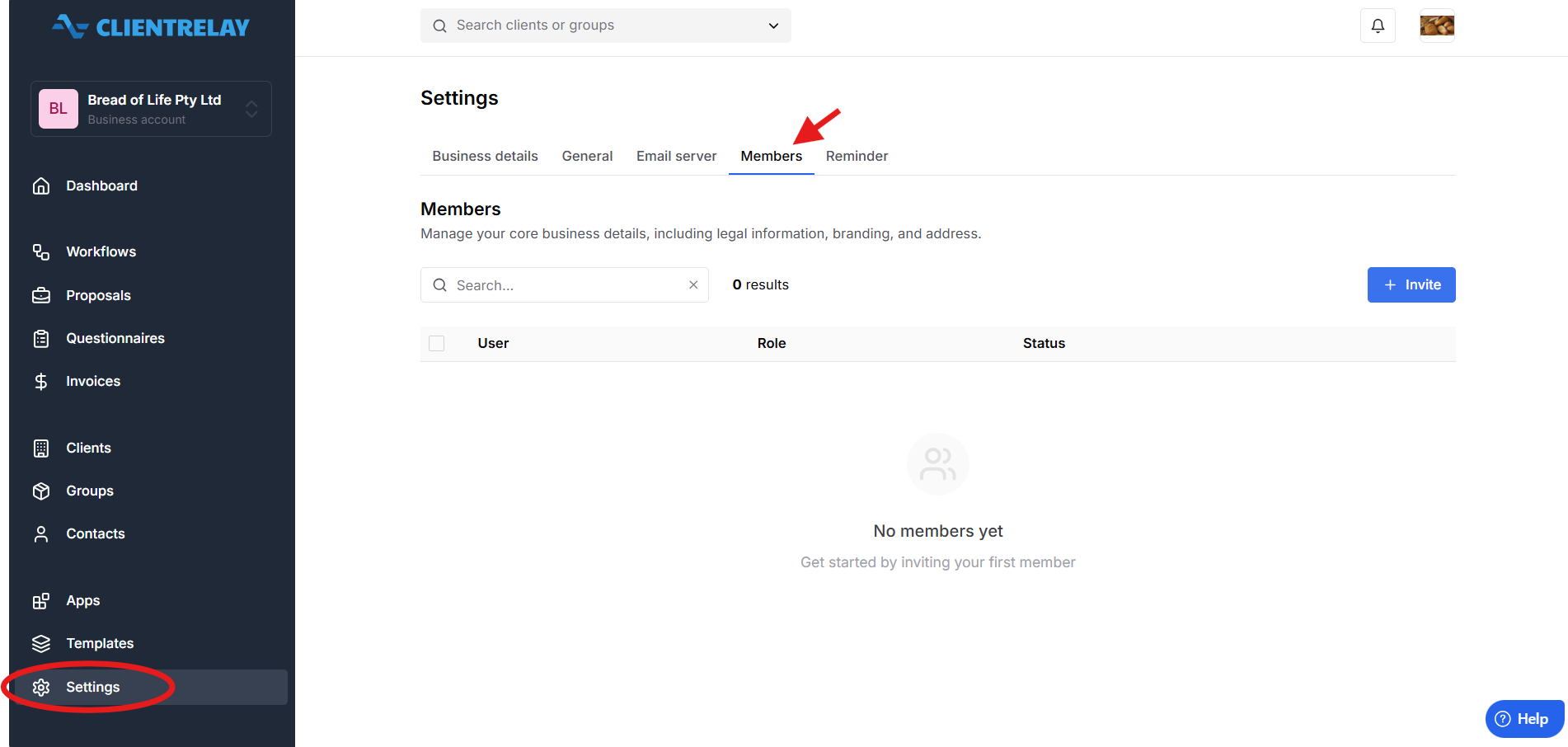
Navigate to Settings, select Members, click +Invite
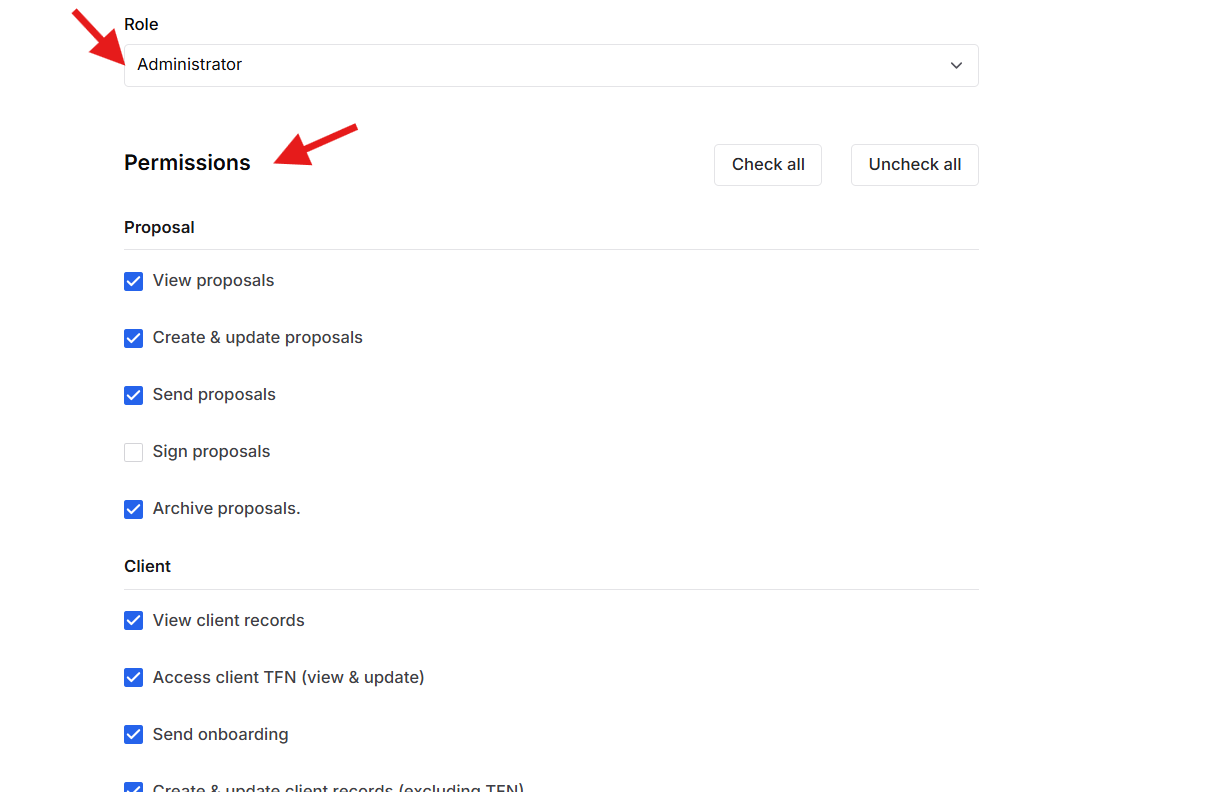
Assign the appropriate Role and Permissions
Click Send Invitation.
Was this article helpful?
That’s Great!
Thank you for your feedback
Sorry! We couldn't be helpful
Thank you for your feedback
Feedback sent
We appreciate your effort and will try to fix the article