The Client Details section allows users to send secure links to clients so they can submit their required information.
This helps collect the details needed to establish the client and contact records in ClientRelay.
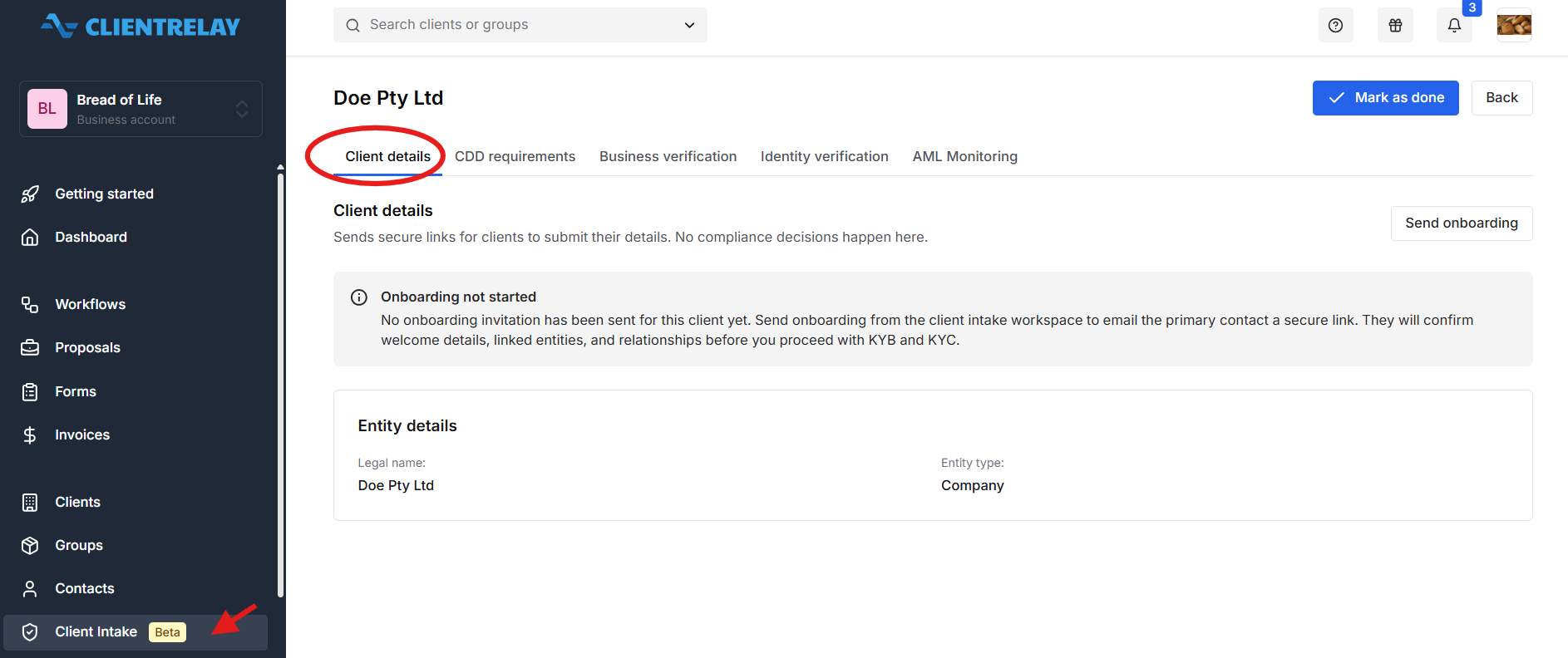
Note:
Make sure to send proposal/on boarding to the Client/Contact before you proceed with Client Intake, in order for the contact to confirm welcome details, linked entities, and relationships before you proceed with KYB and KYC.
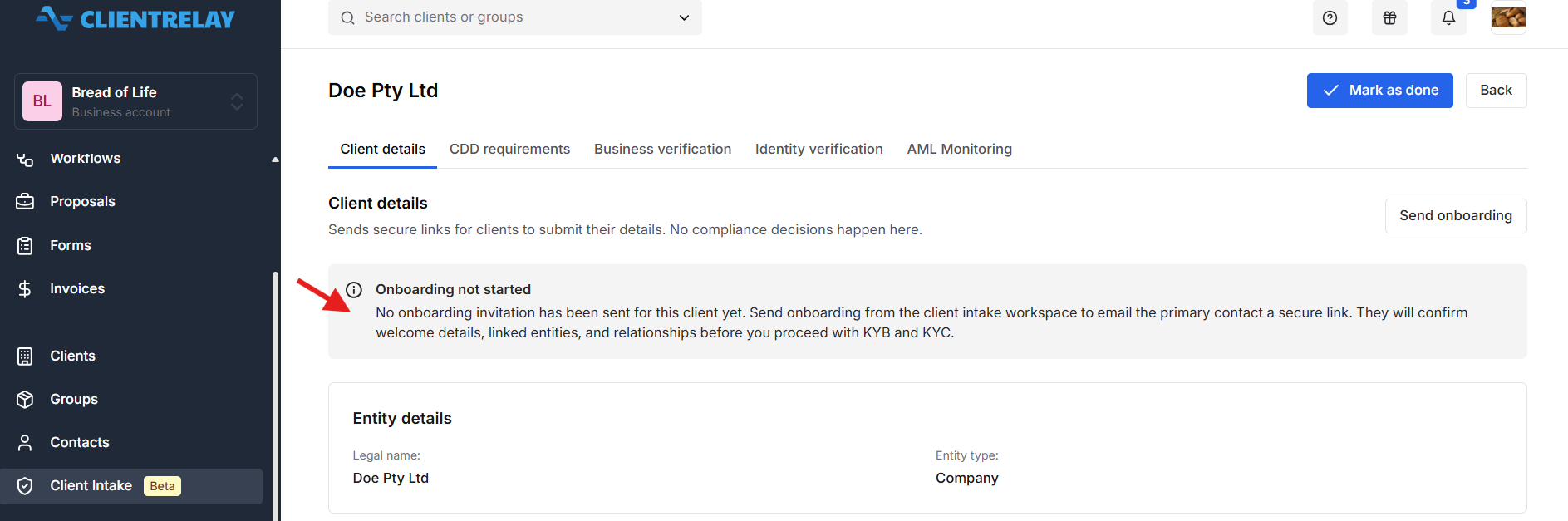
How it works:
Open the relevant client's intake record.
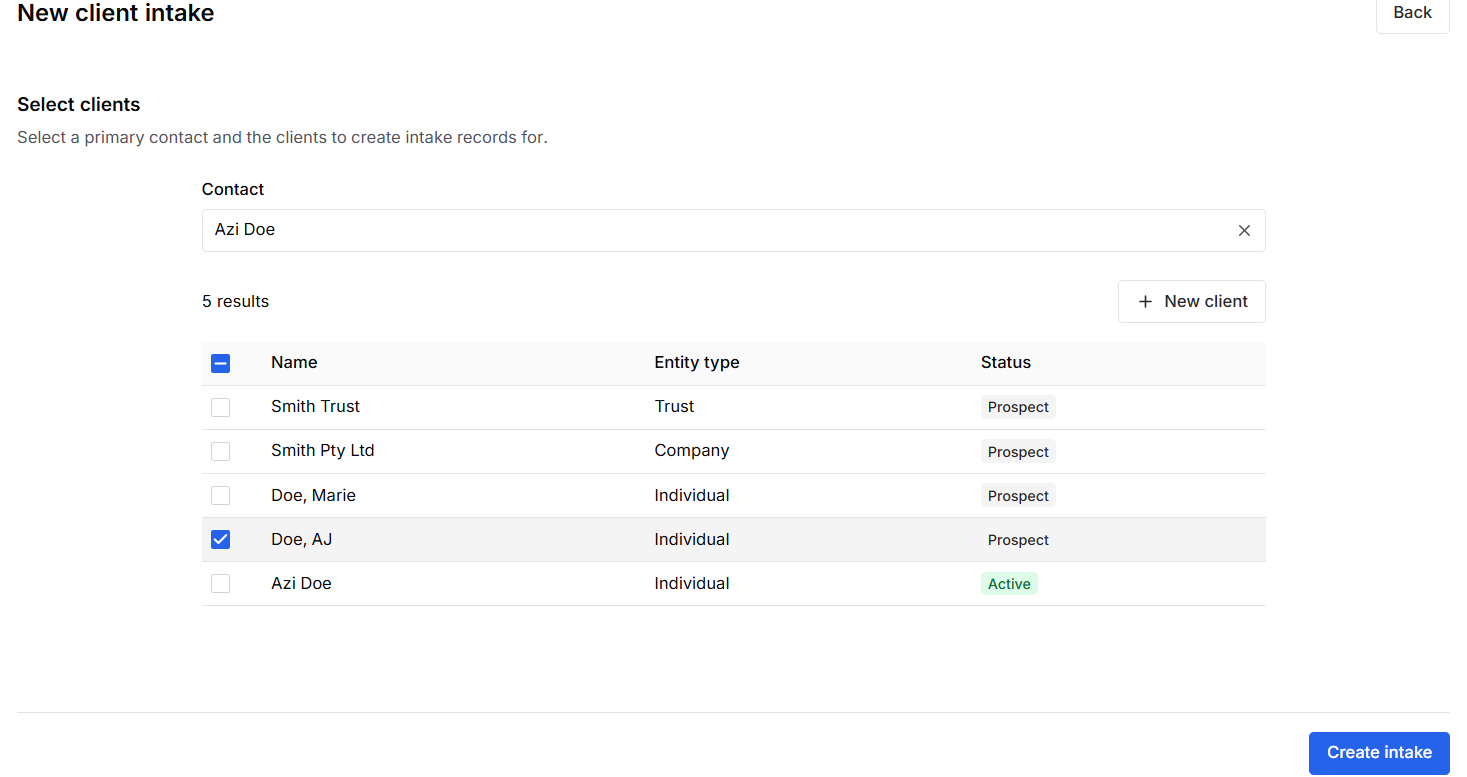
Send the secure client details link to the client.
The client uses the link to submit the requested information.
Review the submitted details to ensure they are complete and accurate.
Follow up with the client if any information is missing or requires clarification.
Purpose: To collect the information required to create or update the client and contact records during onboarding.
Note: "Mark as Done" - Client onboarding can only be completed when the contact has submitted their information.

Was this article helpful?
That’s Great!
Thank you for your feedback
Sorry! We couldn't be helpful
Thank you for your feedback
Feedback sent
We appreciate your effort and will try to fix the article