Daisy-Chaining Tasks in ClientRelay allows you to automatically trigger the next step in a process once a previous task has been completed. This creates a seamless workflow where clients and team members are guided through each stage without requiring manual intervention.
Client Onboarding → Proposal Creation → Forms → Contract →
This automation helps ensure no steps are missed and improves efficiency throughout the client journey.
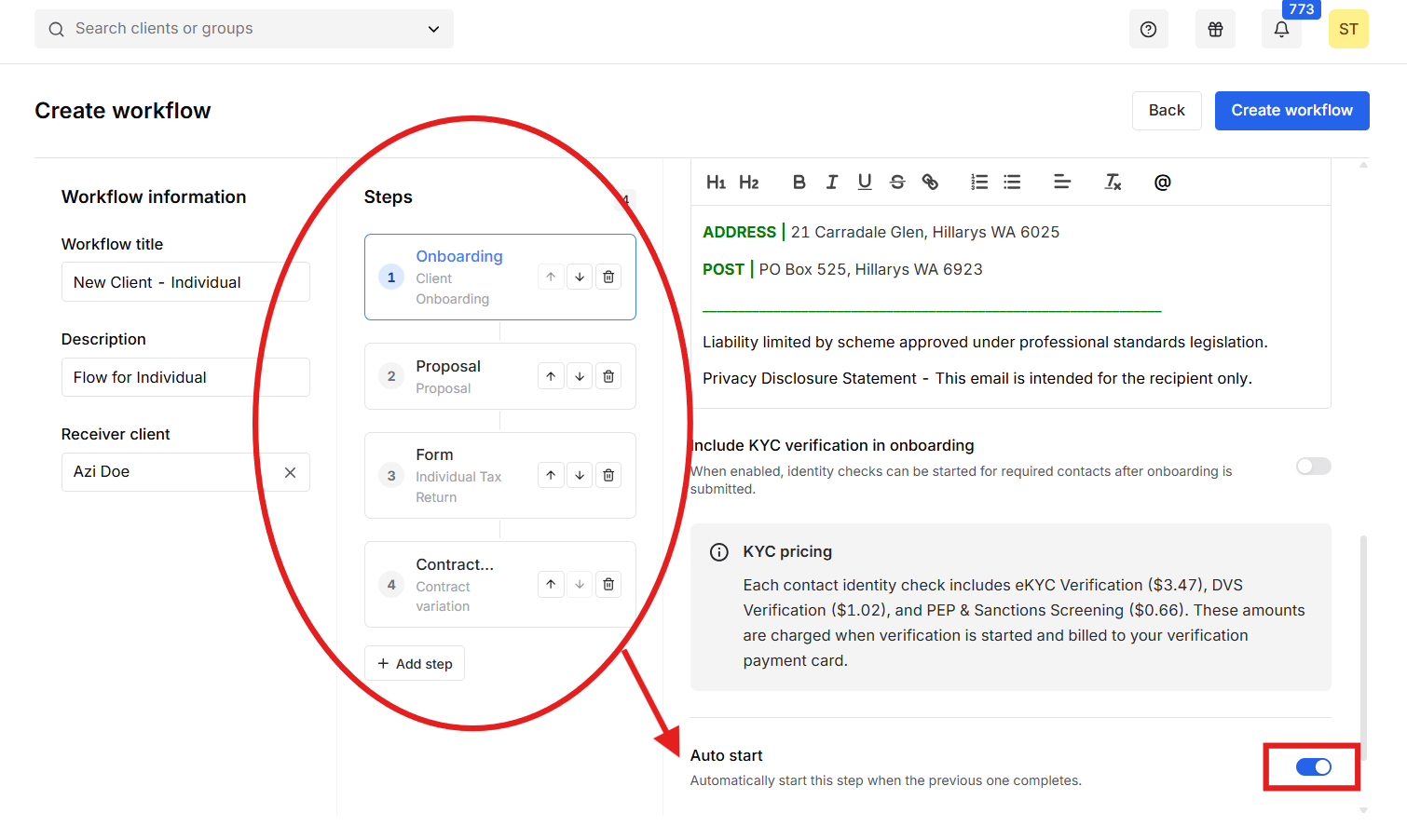
This ensures onboarding begins immediately after the required information has been collected.
Why Use Daisy-Chaining?
Benefits include:
- Reduces manual follow-up
- Ensures process consistency
- Improves client experience
- Minimizes missed tasks
- Speeds up onboarding and sales processes
Monitoring the status
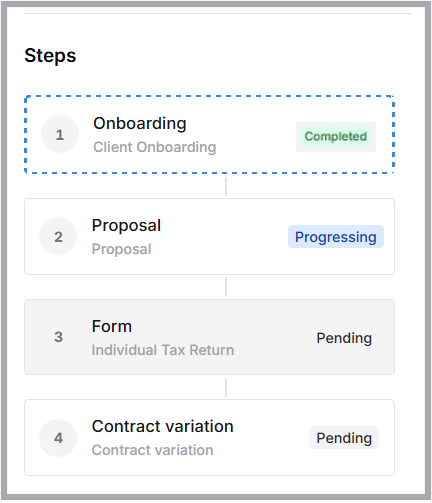
By daisy-chaining tasks, ClientRelay can automate the transition between stages, creating a smooth and efficient client management process from initial information gathering through proposal delivery and beyond.
Note:
- Users can create a client intake without sending an onboarding email.
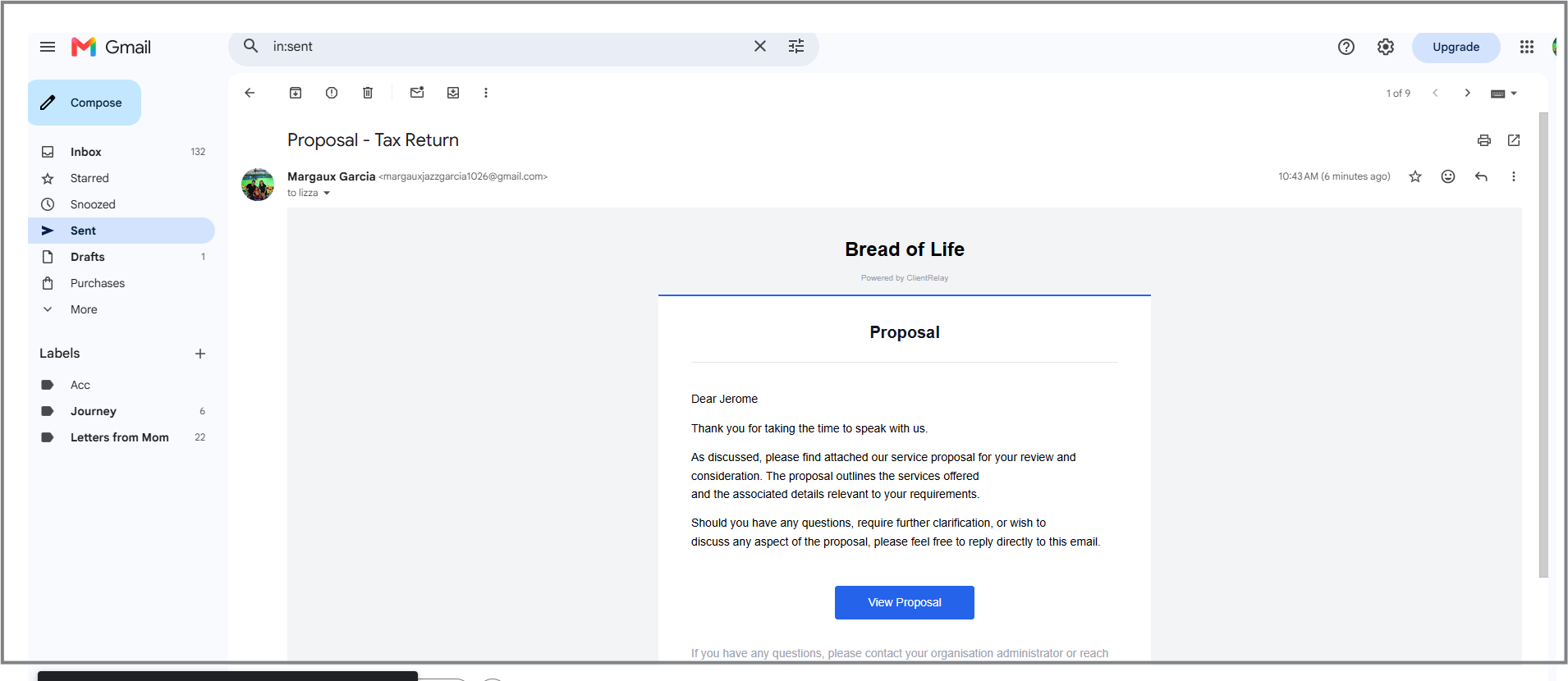
- For sent email engagements, check your Sent mailbox to view what was sent. This feature must first be configured under ClientRelay > Settings > Outgoing Mail Server.
Was this article helpful?
That’s Great!
Thank you for your feedback
Sorry! We couldn't be helpful
Thank you for your feedback
Feedback sent
We appreciate your effort and will try to fix the article