Overview
The KYC/AML feature in ClientRelay helps you collect and manage client identity verification and compliance information in one secure location. It streamlines the process of requesting, tracking, and storing the documents required to meet regulatory obligations.
Simplify the entire process for your clients, from reviewing documents to finalising payments.
How It Works
- Open the client record in ClientRelay.
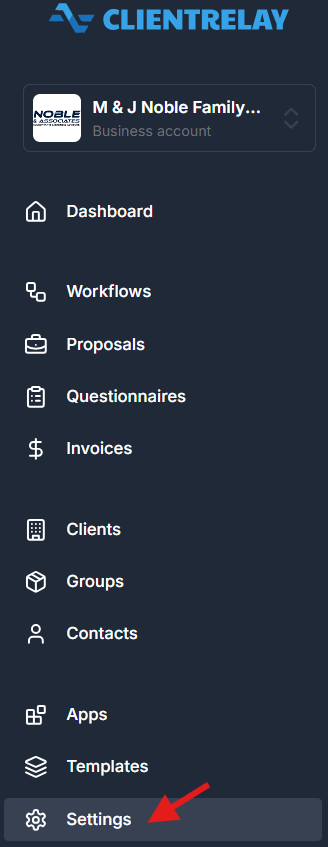
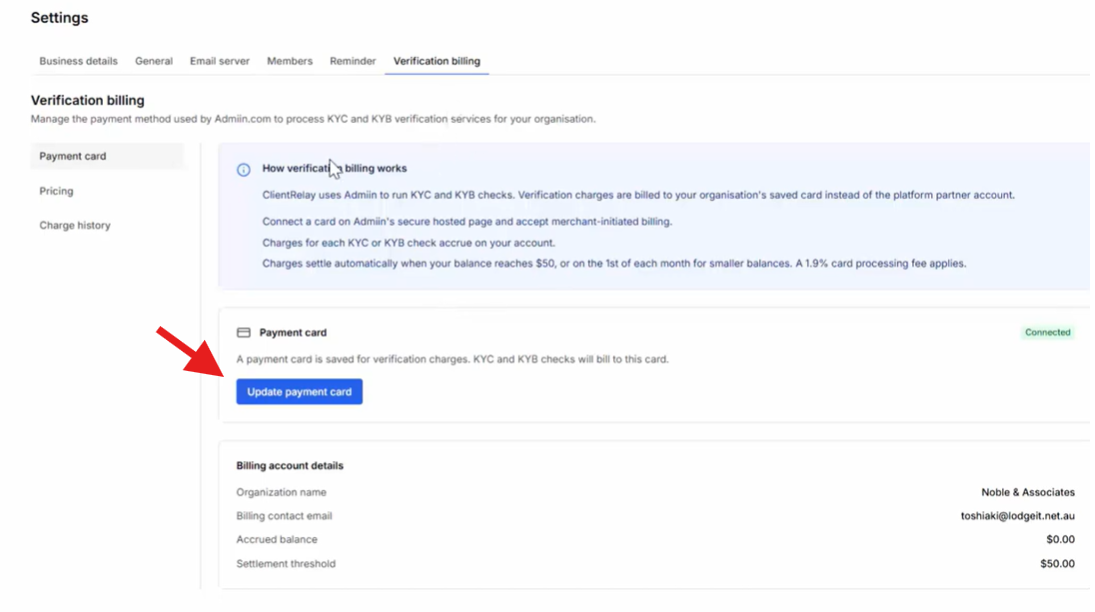
- Navigate to the KYC/AML section via "Settings"
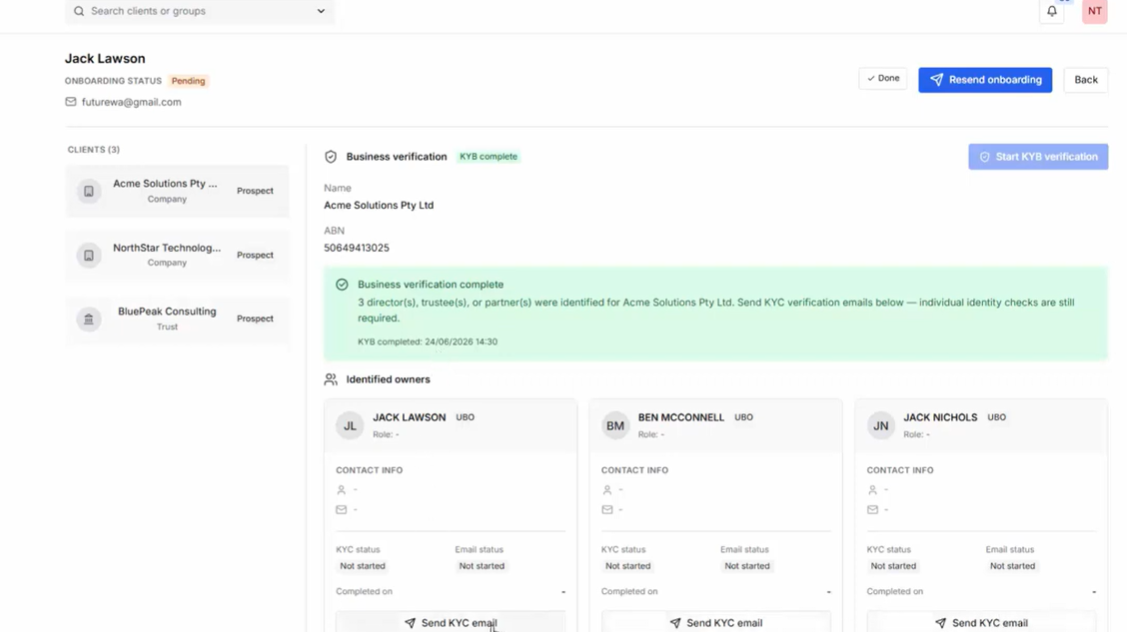
- Create and send a KYC/AML request to the client.
- The client completes the requested information and uploads the required documents.
- agent will review the submission and mark the request as complete once verification is finished.
Select "Settings"
Key Features
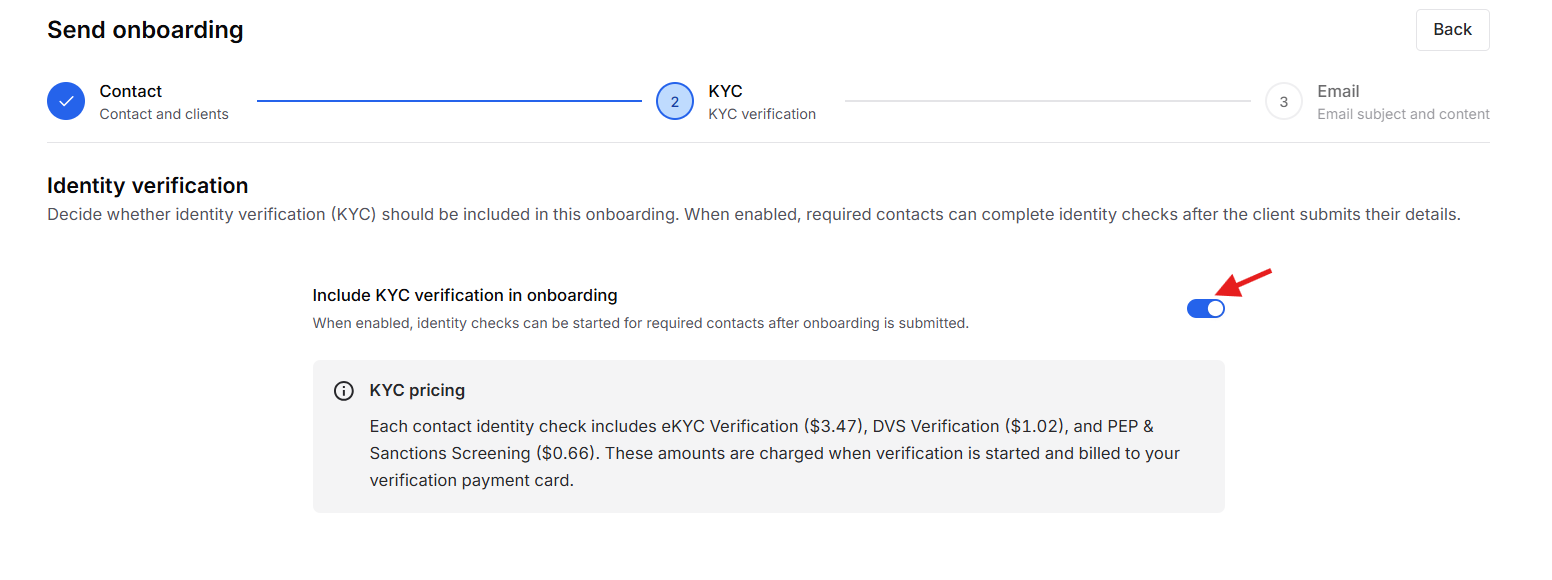
- KYC verification is part of the "On-Boarding" process
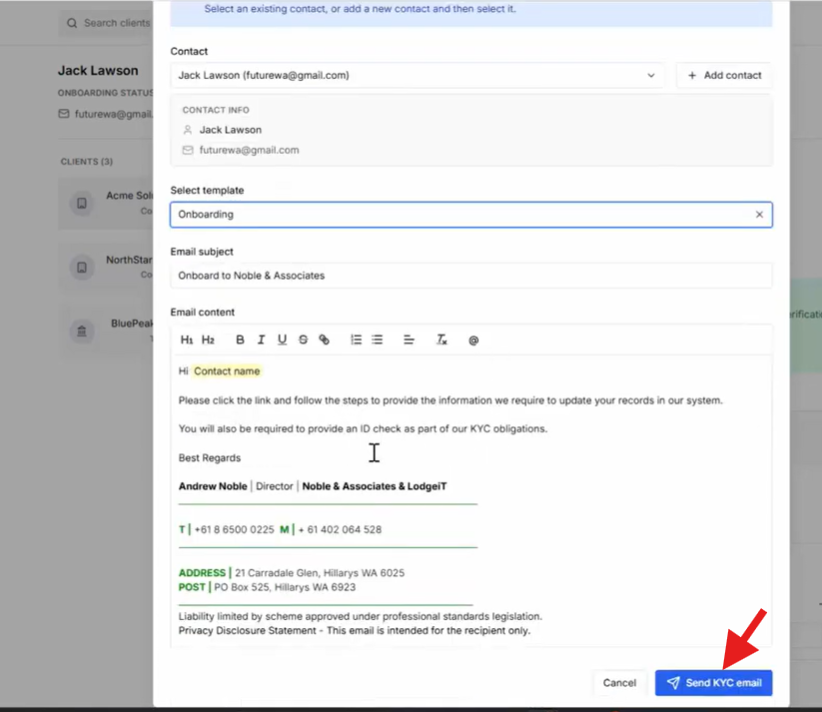
- Collect identity and supporting documents securely.
- Secure online payment experience.
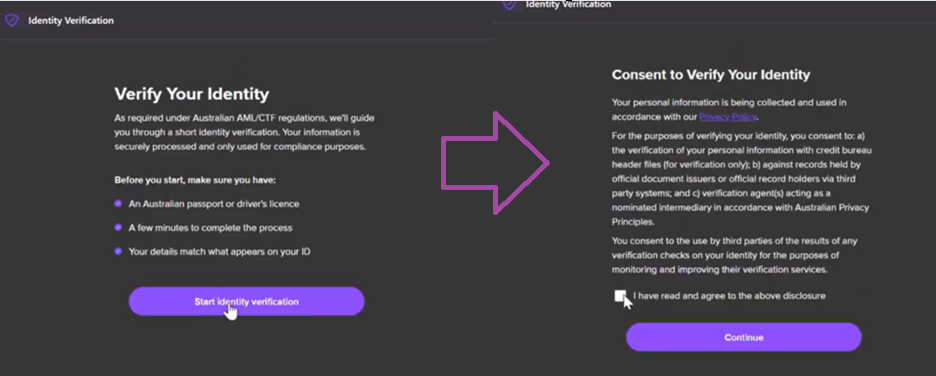
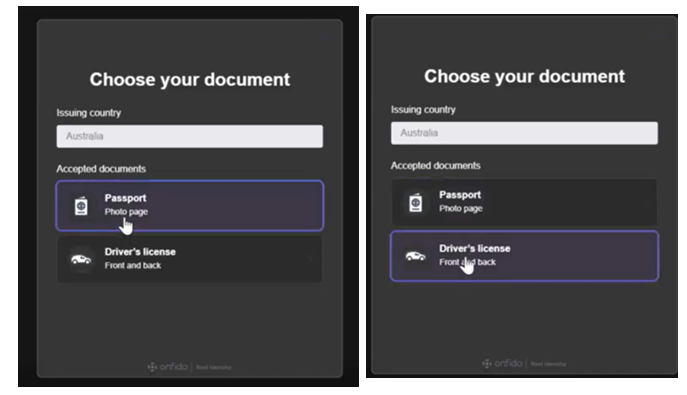
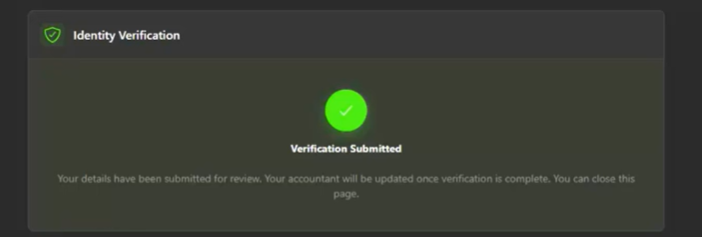
Client's View:
Best Practices
- Ensure all required documents are reviewed before completing the verification.
- Follow your firm's internal compliance procedures when assessing submitted information.
- Regularly monitor pending requests and follow up with clients as needed.
Note: ClientRelay facilitates the collection and management of KYC/AML information. Your firm remains responsible for reviewing submissions and ensuring compliance with applicable regulations.
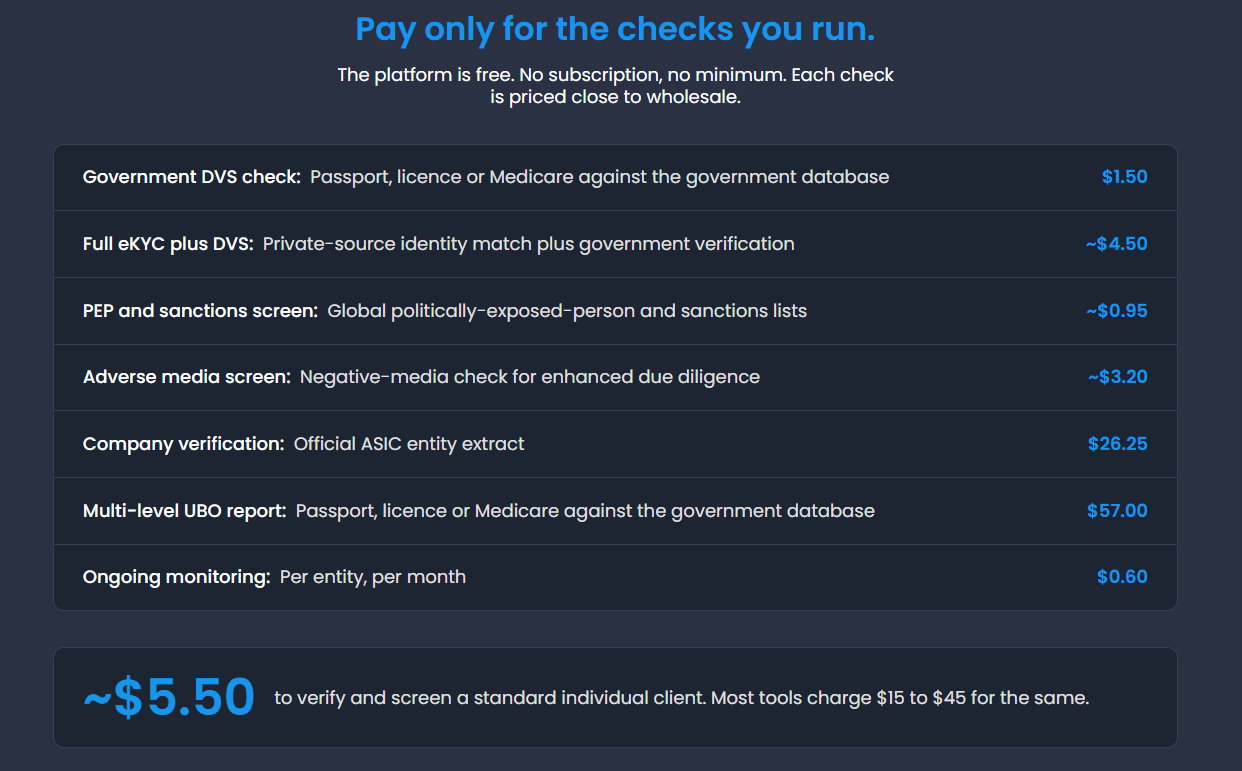
Pricing:
Was this article helpful?
That’s Great!
Thank you for your feedback
Sorry! We couldn't be helpful
Thank you for your feedback
Feedback sent
We appreciate your effort and will try to fix the article