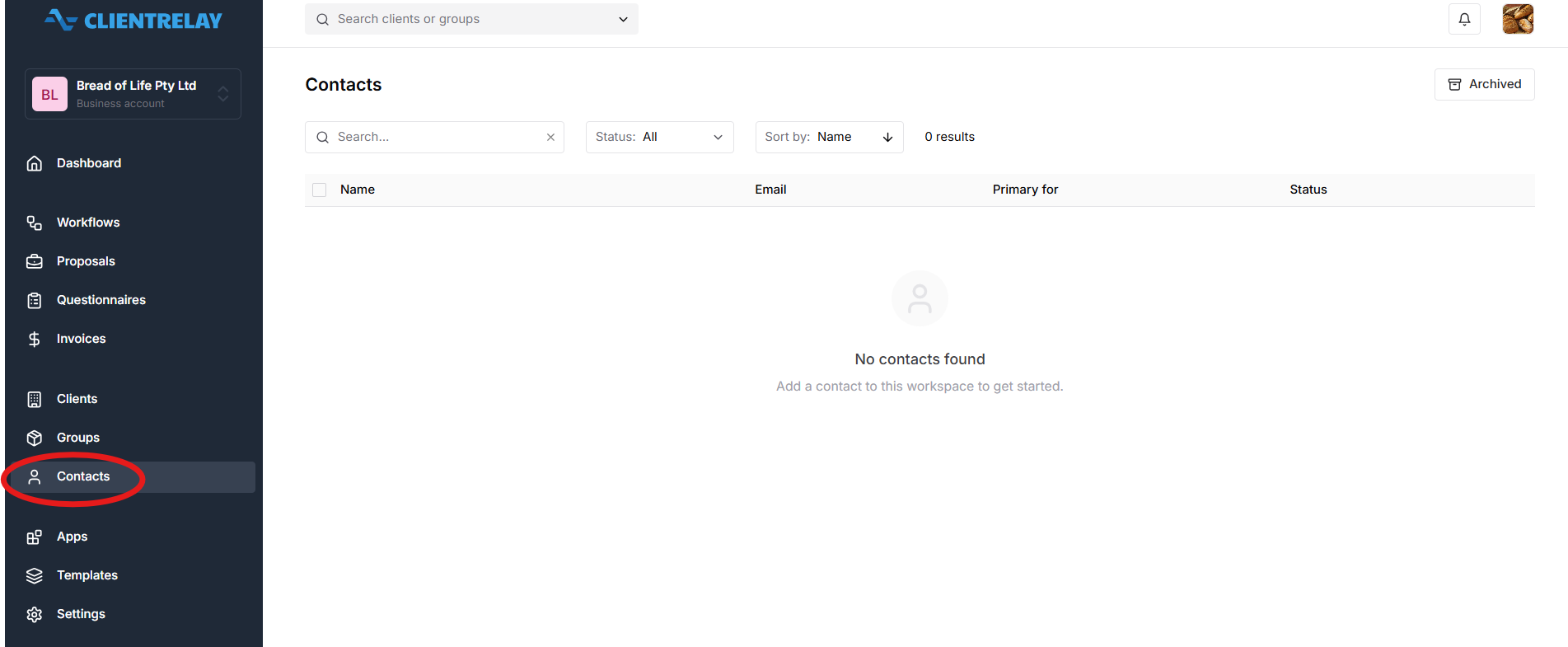
People are stored as Contacts with information on how you can contact the "Client".
"Contact" can be associated with more than one Client record as Authorised Contacts. Contacts is a humans with both an email address and mobile phone number to whom proposals can be directed. It takes a human to agree to a proposal on behalf of a client even if the contact and client are one & the same.
For example, a person may be a director and a trustee of a super fund. For this reason, in ClientRelay, the client type "Individual" is linked to a "Contact" of the same name. This enables us to provide a single login to as person with multiple entities. Proposal are sent to Authorised Contacts of Legal Entities for signing and establishing legally binding contacts.
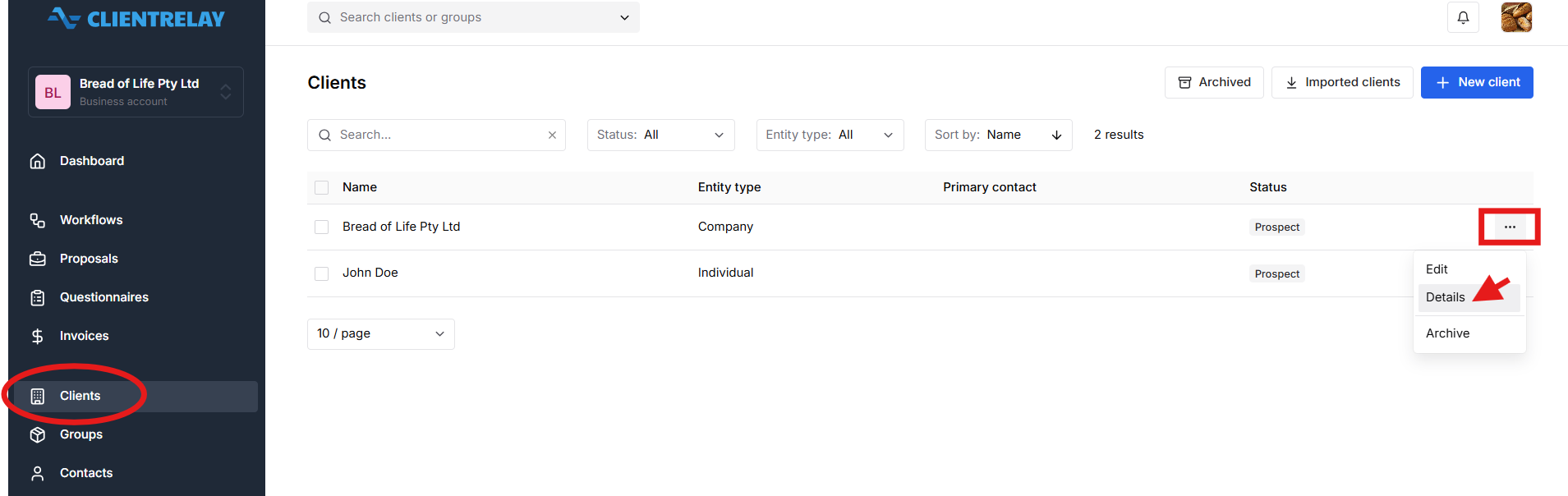
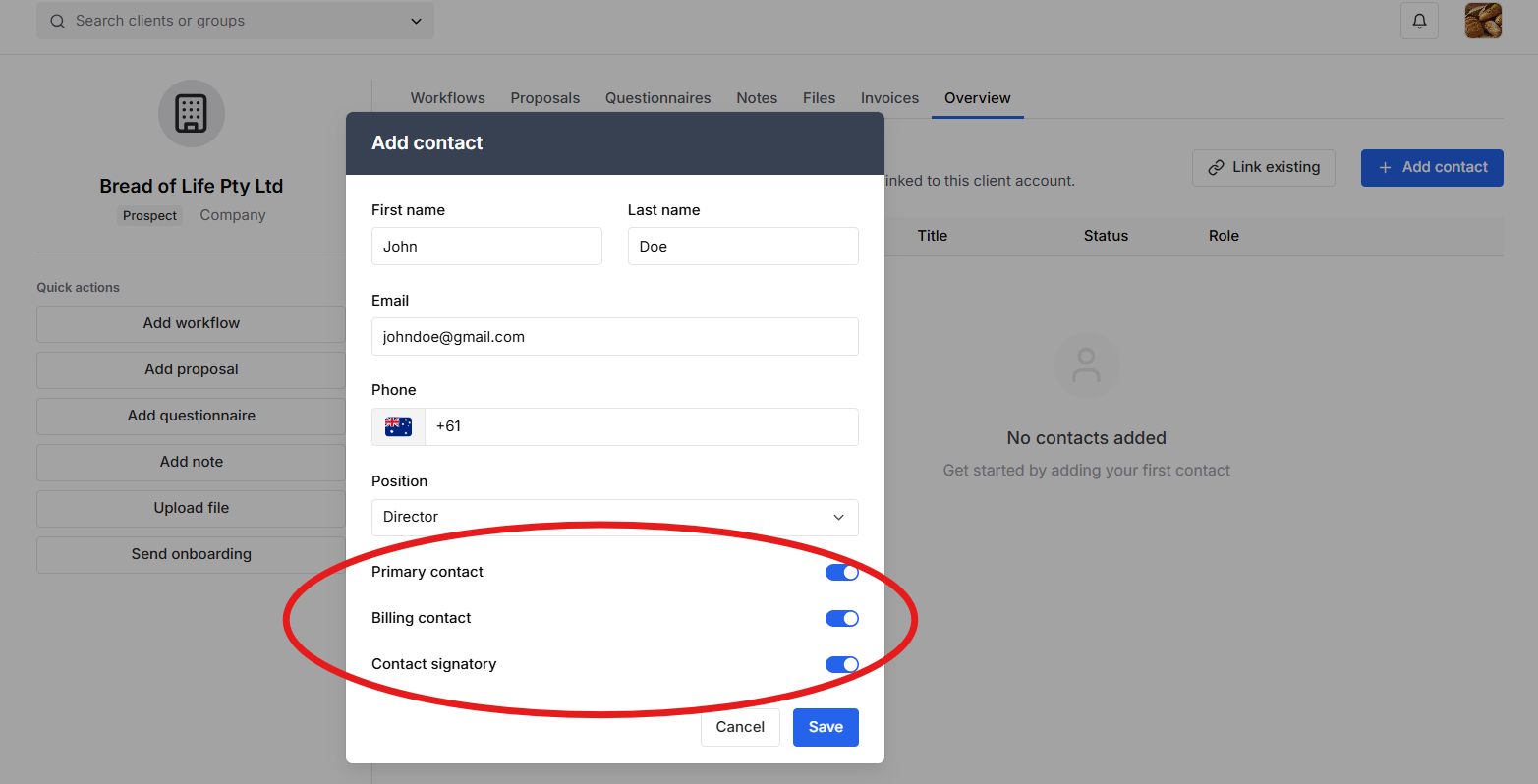
To Add a "contact", navigate to "Clients" tab, and select "Details"
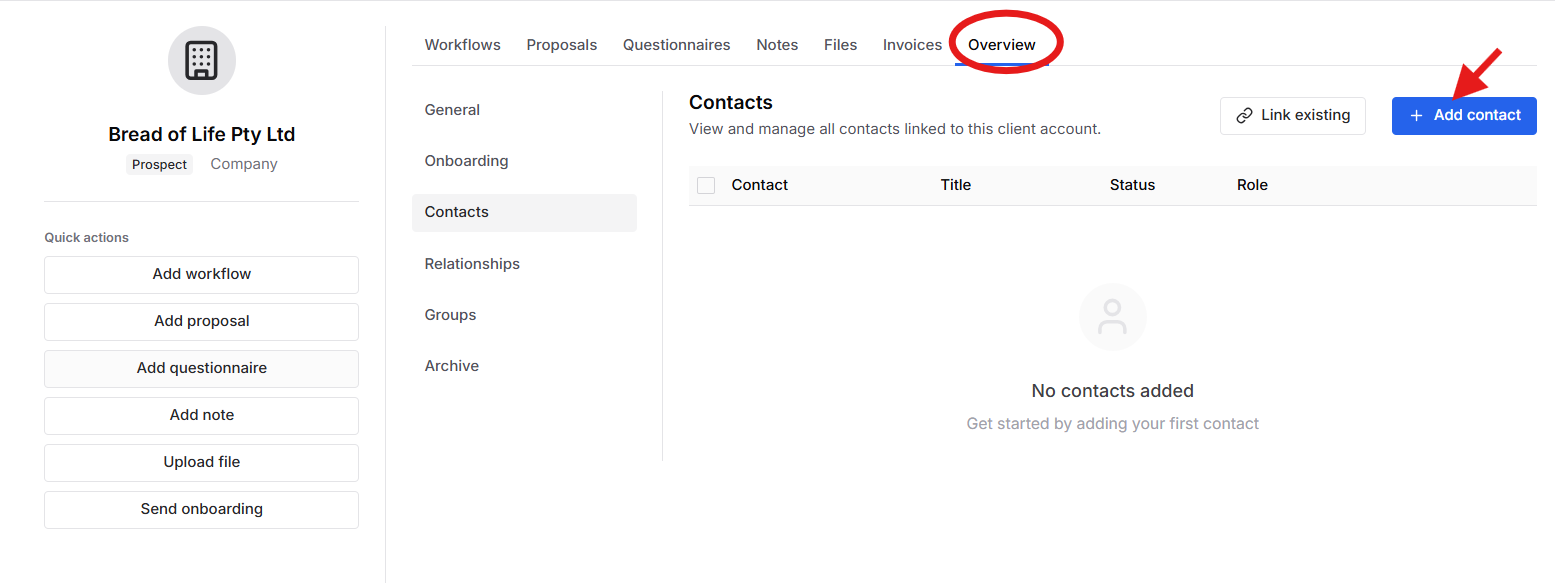
Press "Overview" >
1. "Link existing"
2. "Add Contact"
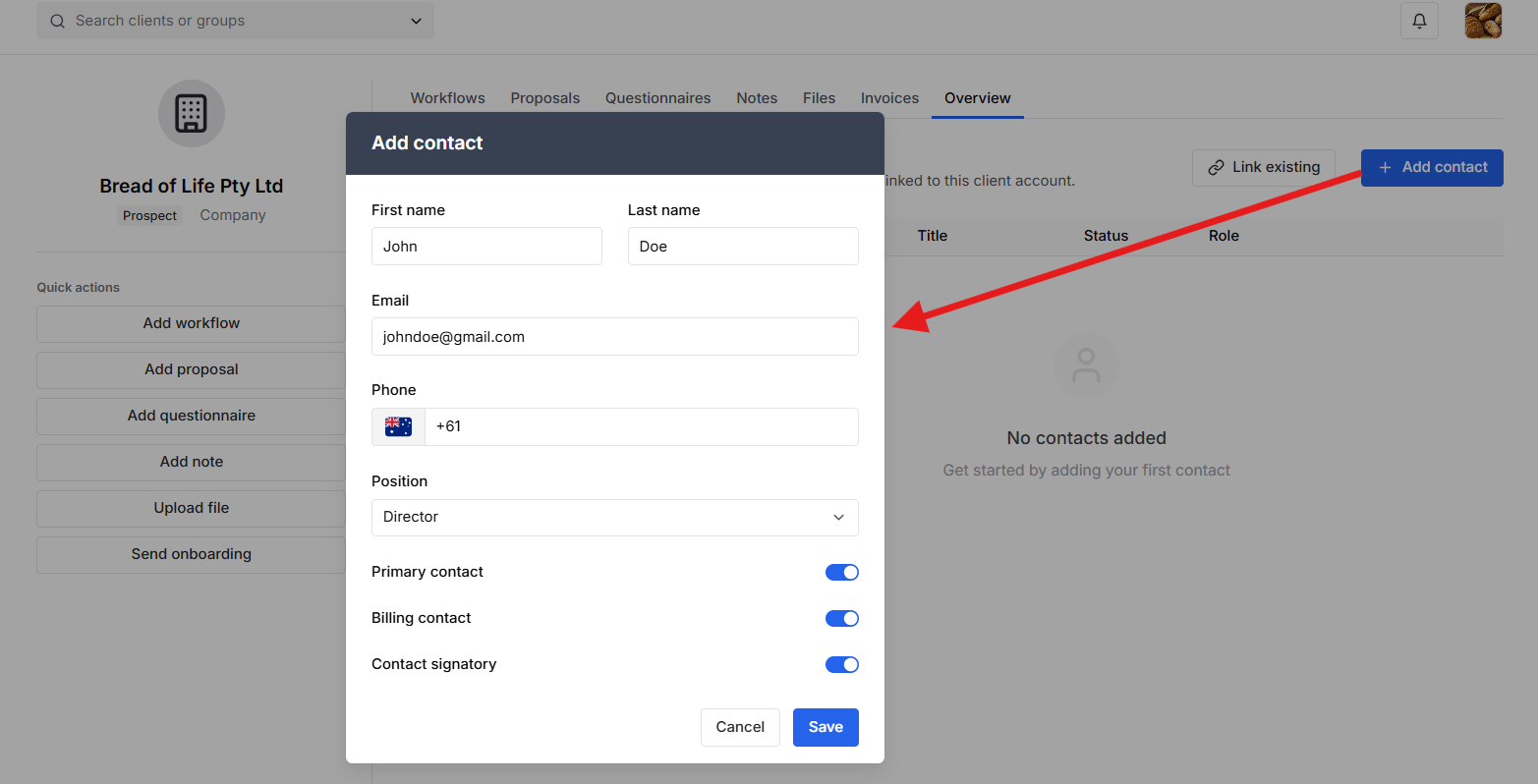
It supports multiple contacts per client record for the purpose of Primary contact, Billing Contact, or Contact Signatory
Was this article helpful?
That’s Great!
Thank you for your feedback
Sorry! We couldn't be helpful
Thank you for your feedback
Feedback sent
We appreciate your effort and will try to fix the article