Demonstrates adding a client and associating clients with a group.
"Group" is a client ie family or corporate groups of entities that share common Contacts with both an email address and mobile phone number to who proposals can be directed. It takes a human to agree to a proposal on behalf of a client even if the contact and client are one & the same.
Groups are a great way to link individuals and entities together. Linking helps provide services for several entities but bills all to one client account. For example, accountants may do a business tax return, a trust tax return, and an individual tax return. So, when writing a proposal, each service can be tagged to the correct recipient while only one contact pays the bill.
Groups allow you to write a single proposal addressed to one of the group entities and set group members as the service recipients.
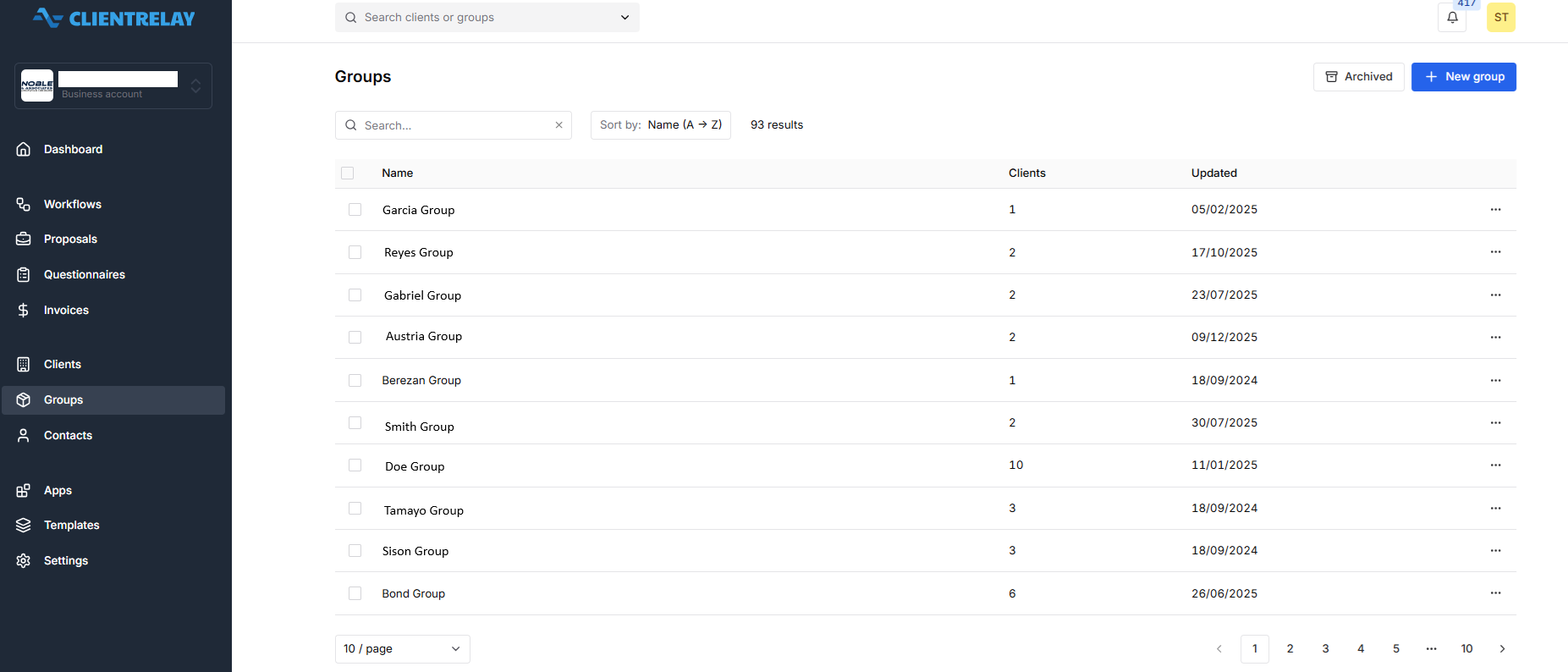
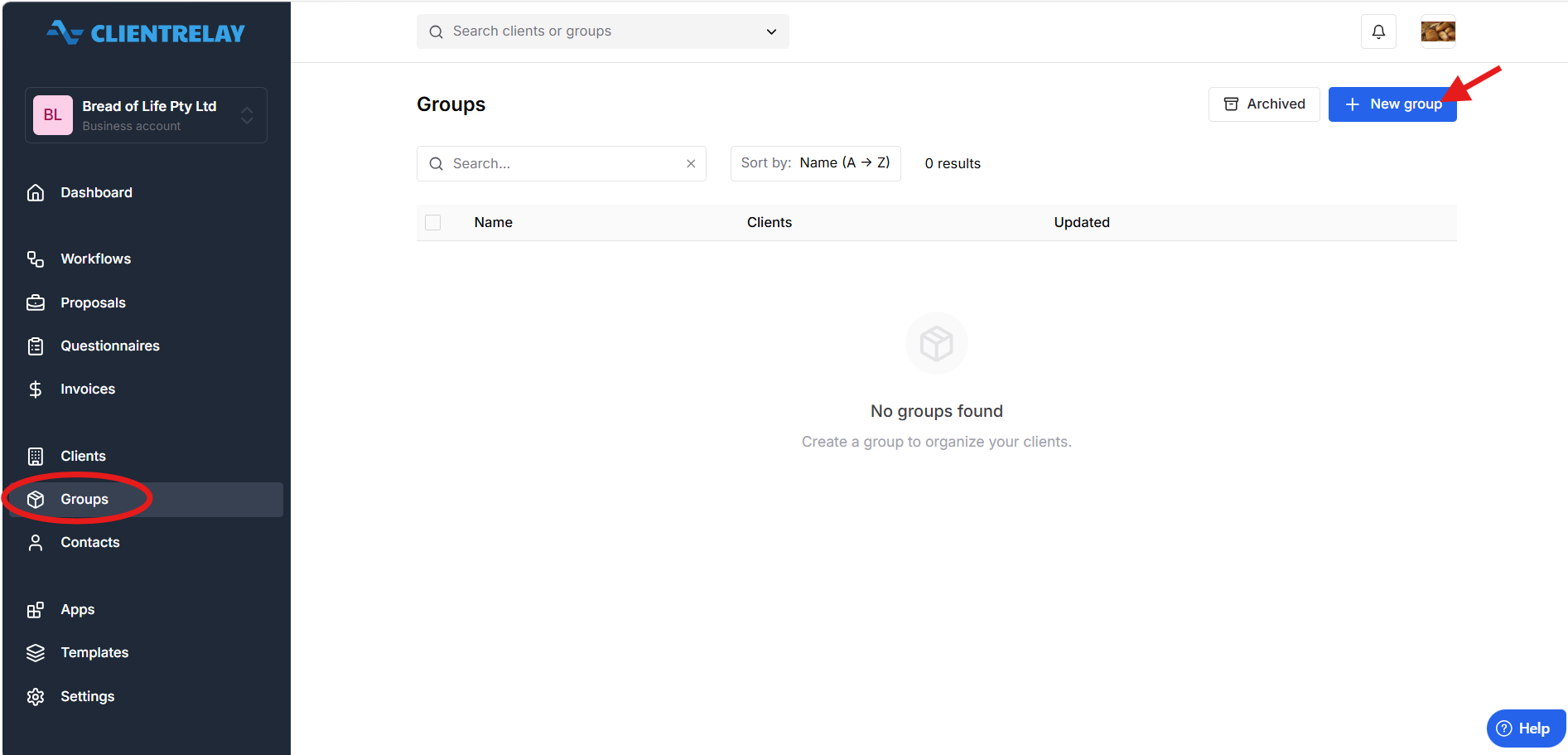
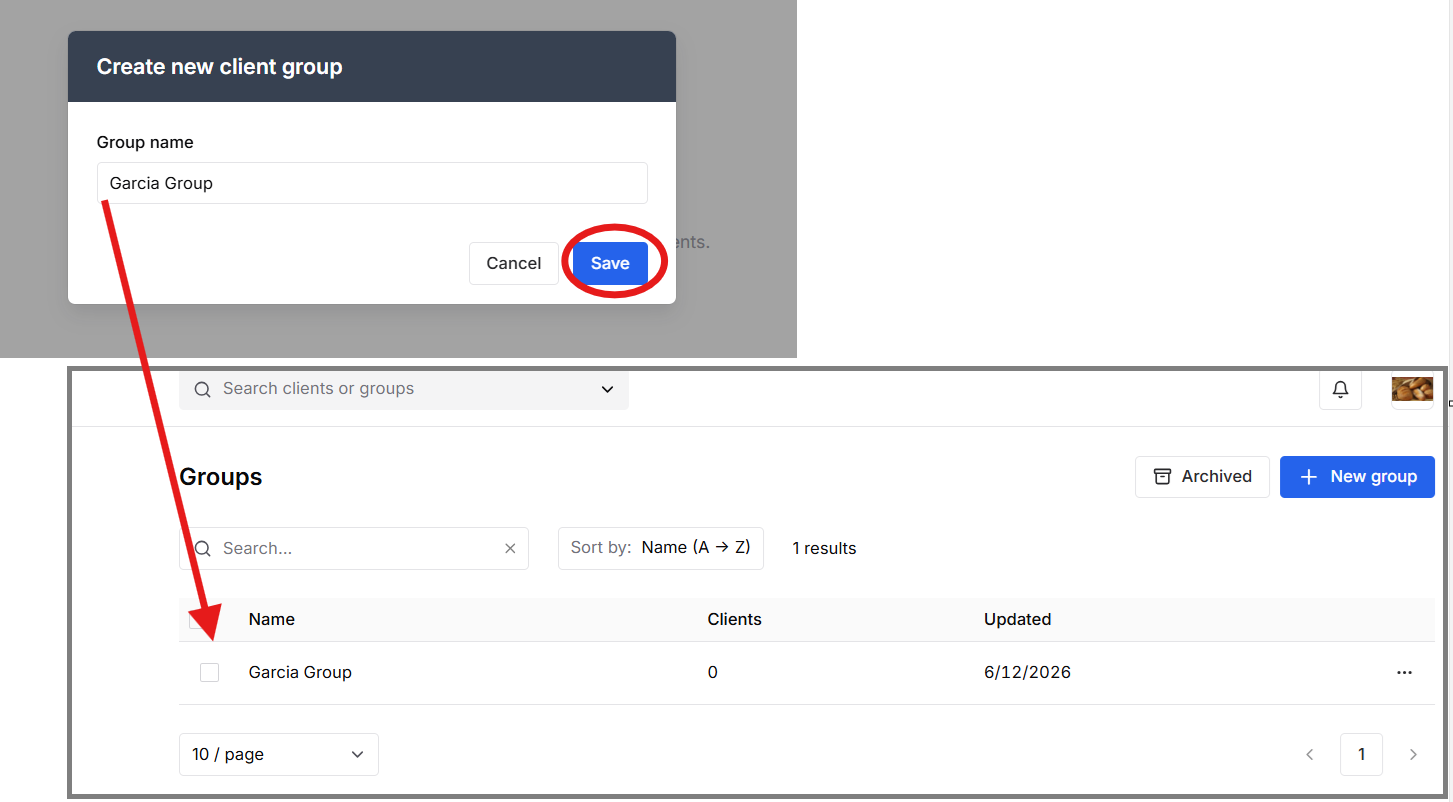
Setting up a "Group"
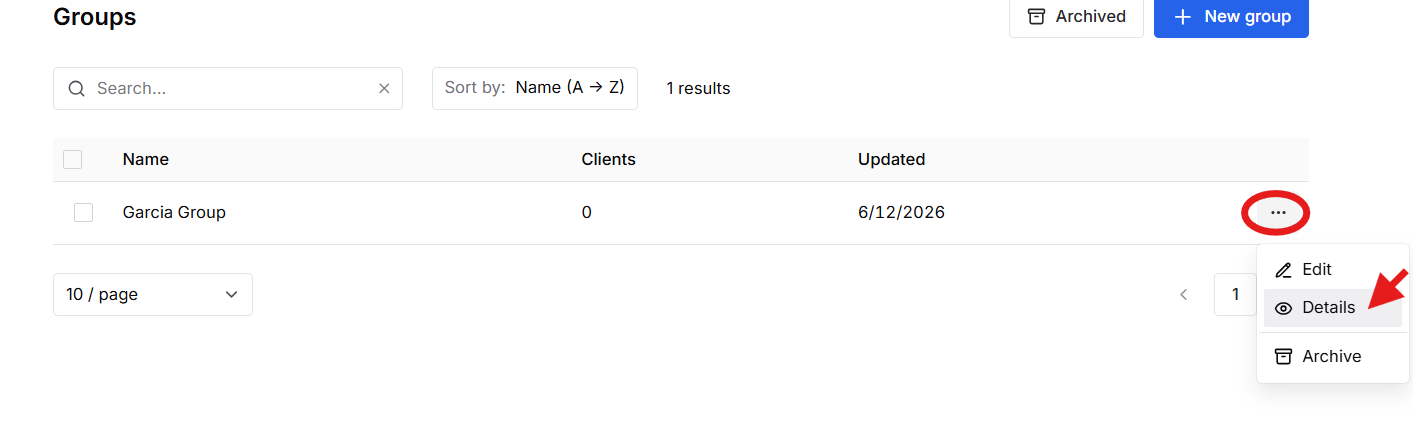
Press the 3 dots > Details
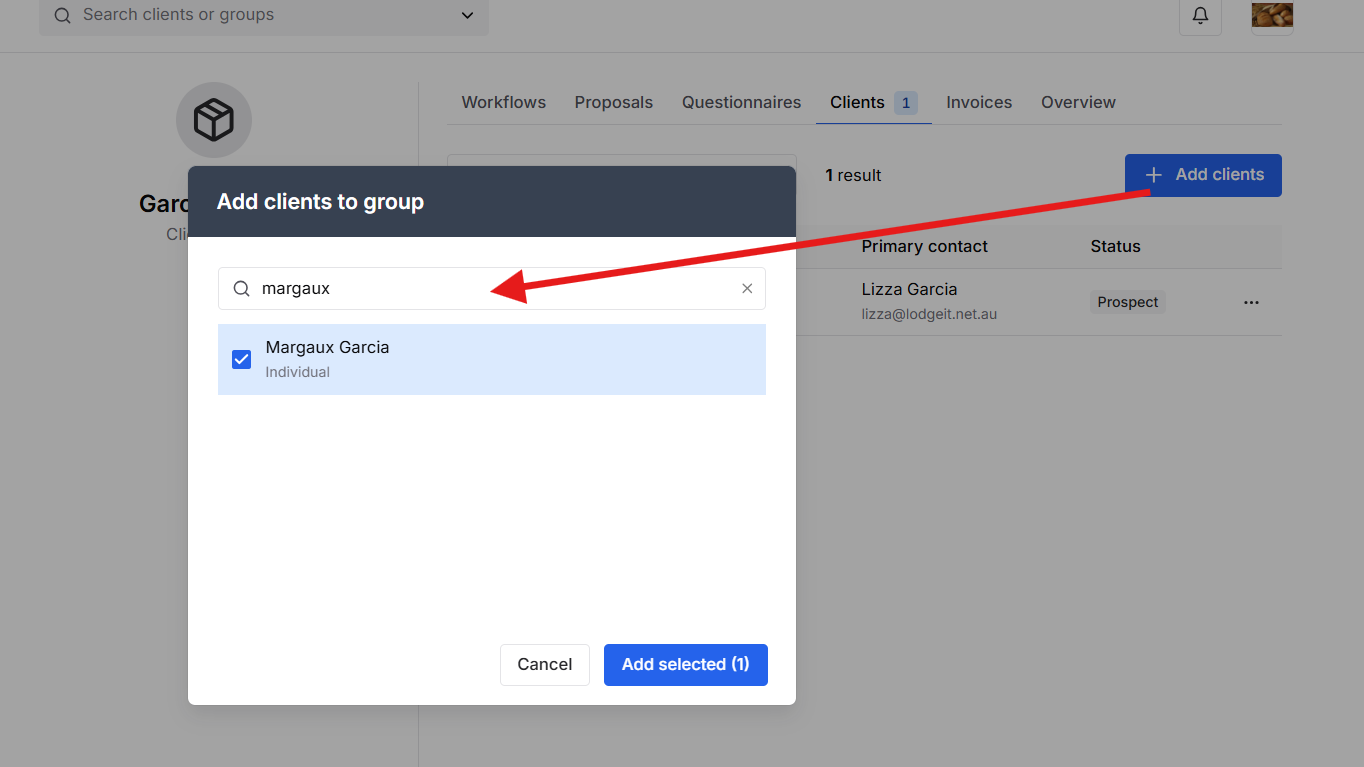
Select "Add Client"
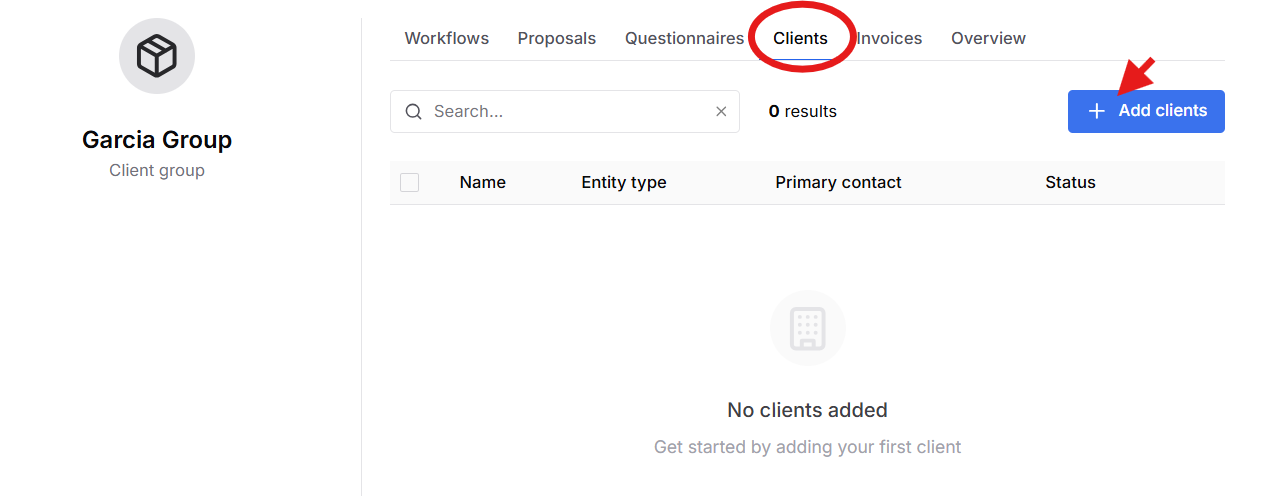
Make sure that the "Client" is existing in client list in order to select it from the "Group"
Was this article helpful?
That’s Great!
Thank you for your feedback
Sorry! We couldn't be helpful
Thank you for your feedback
Feedback sent
We appreciate your effort and will try to fix the article