MCP stands for Model Context Protocol. A standard way for the AI to connect to tools and data.
It is a standard that allows an AI assistant or AI agent to connect with external tools, applications, and data sources so it can do more than simply answer questions.
MCP could act as a bridge between an AI agent and the platform's available functions, allowing the AI to retrieve information or perform approved tasks rather than just answer questions.
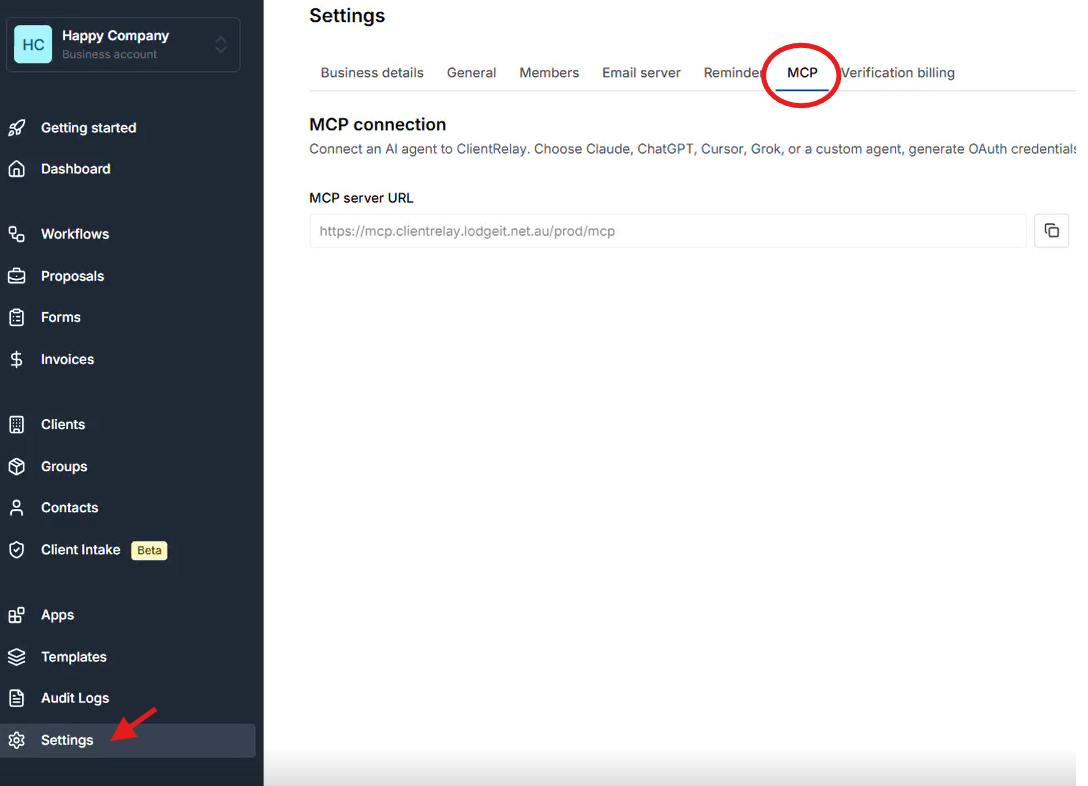
Via "Settings", select MCP tab
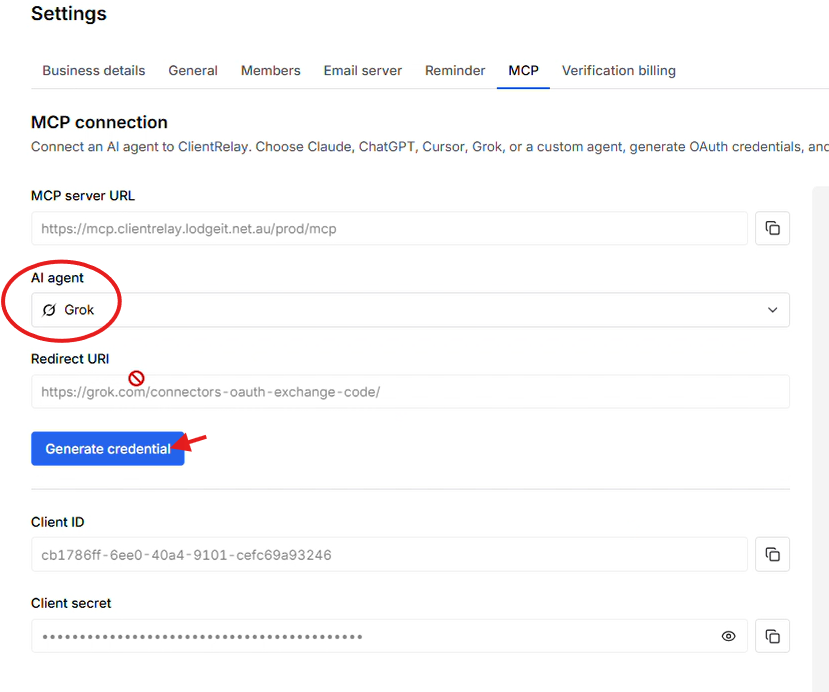
Select "Grok" as the AI Agent, and "Generate Credentials"
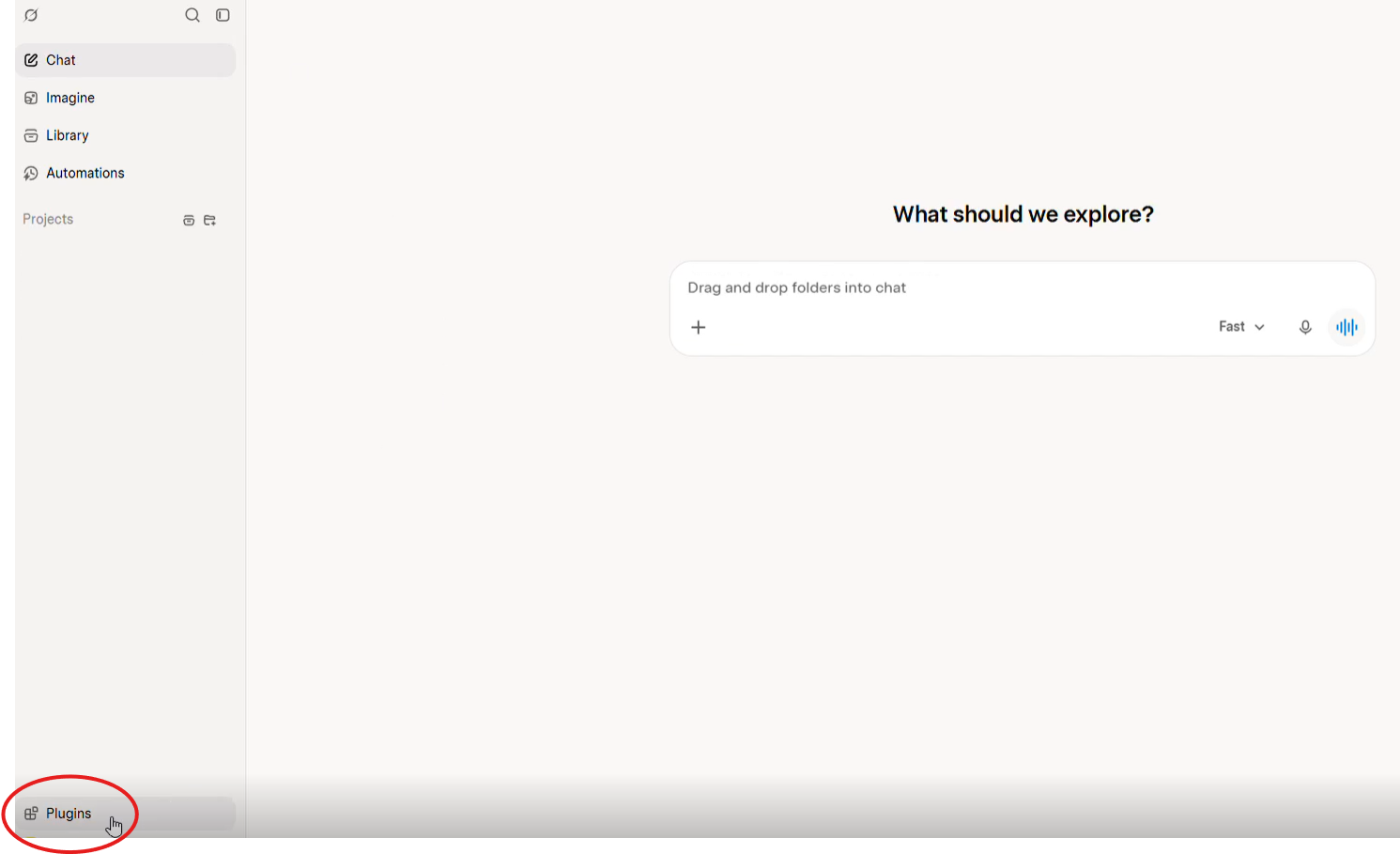
Adding ClientRelay's MCP server as new Plug-in on Grok
Via Grok window, add the ClientRelay's MCP server as additional Plug-in via "Plug-in" tab
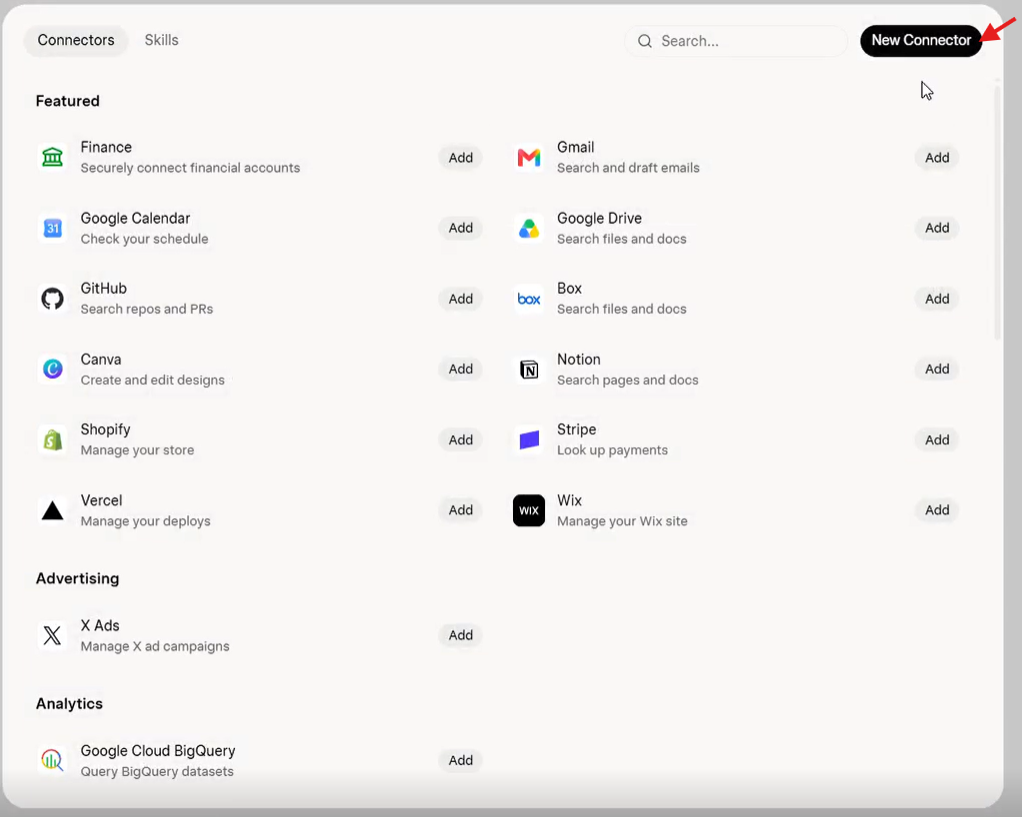
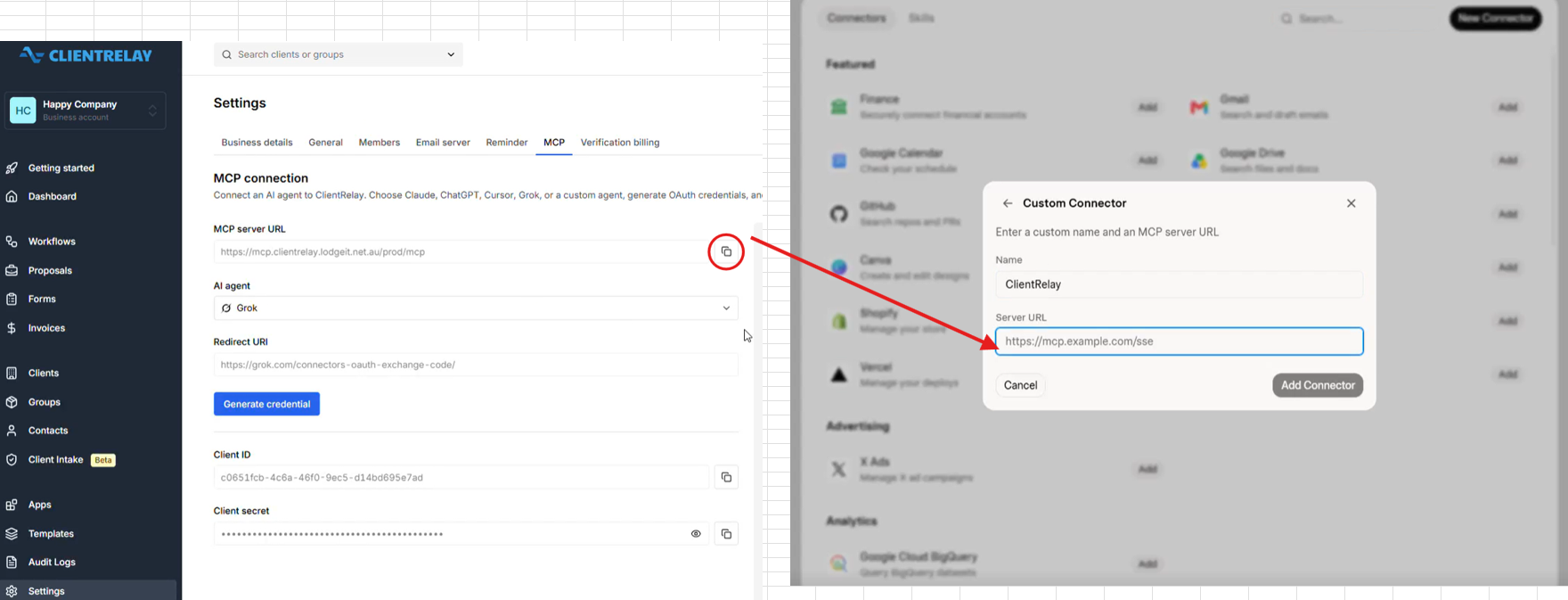
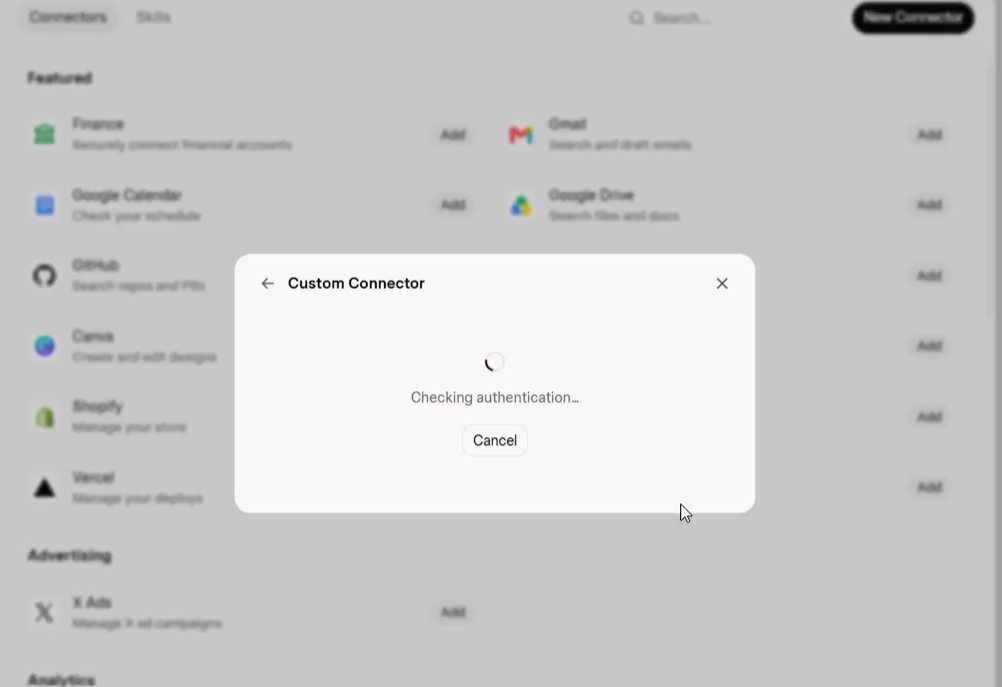
Via ClientRelay, copy the MCP server URL, and paste it on Claude's as "Custom Connector > Server URL"
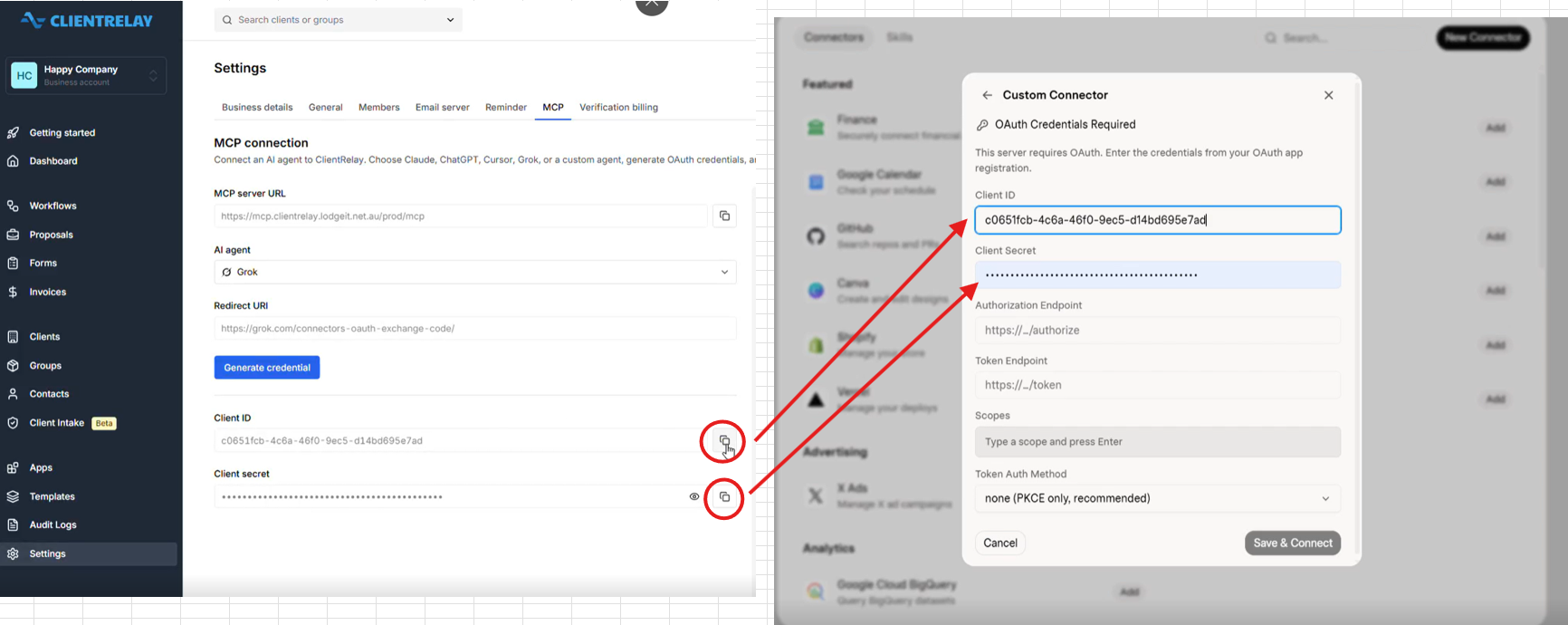
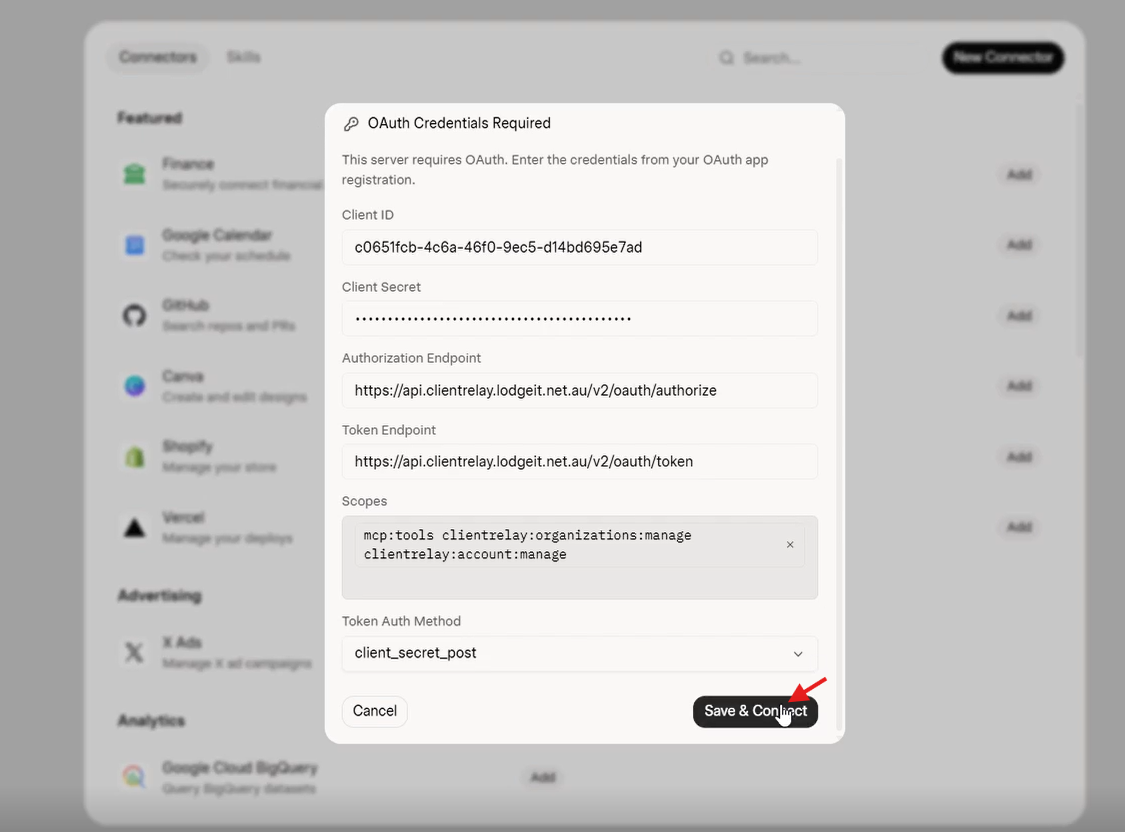
Copy and paste the "Client ID" and Client Secret"
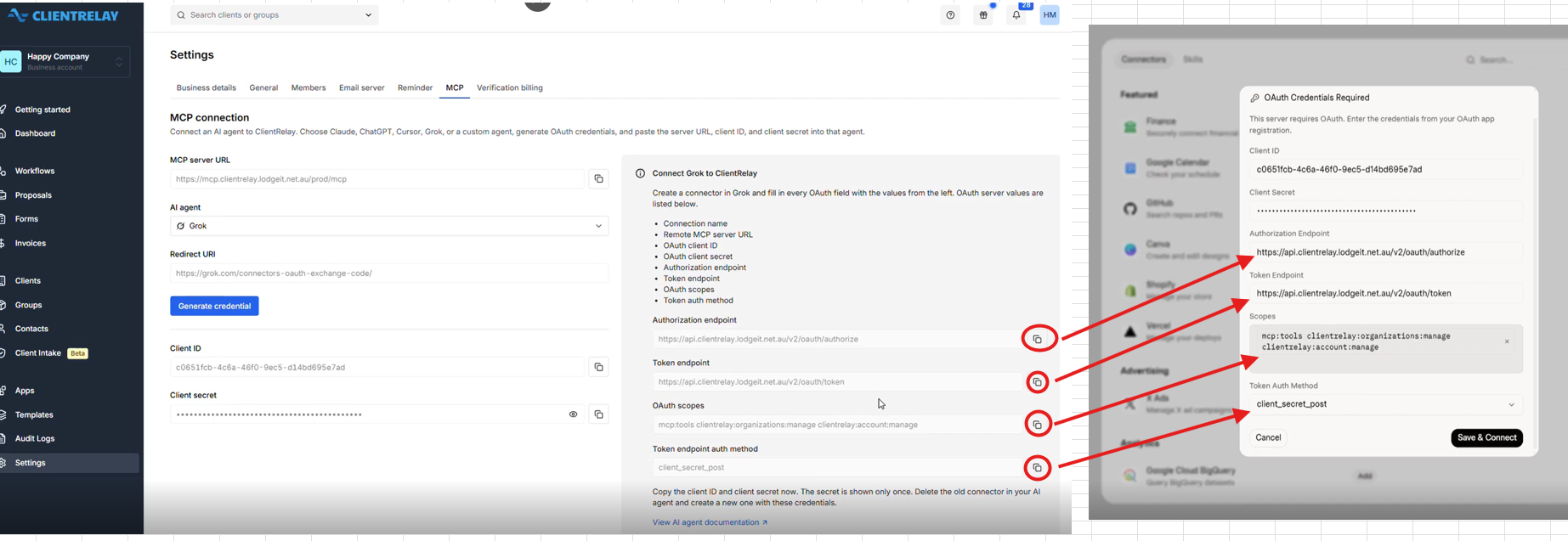
On Claude, press "Save & Connect" to complete the connection
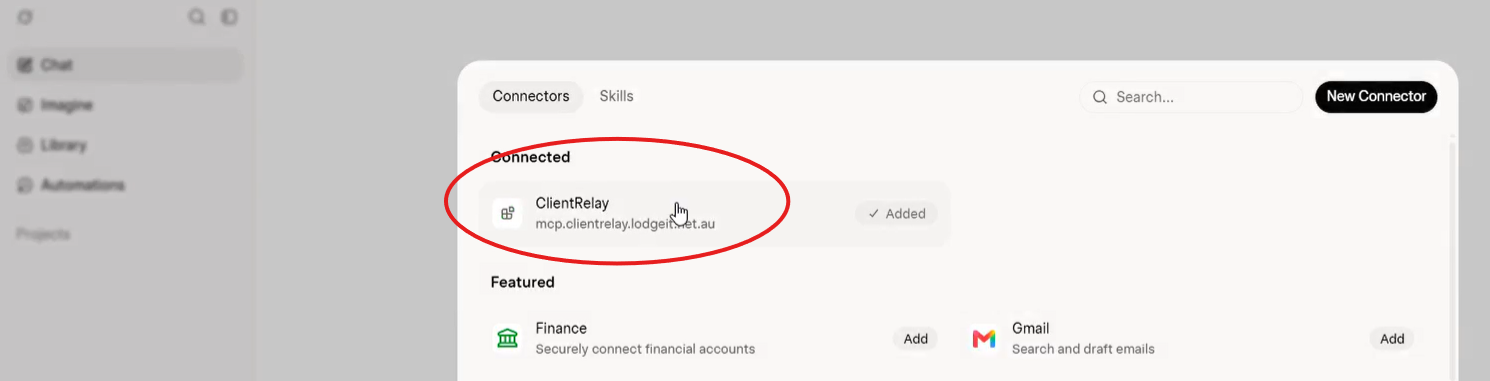
Once installed, user can find help on ie correct workflow, client records and instructions.
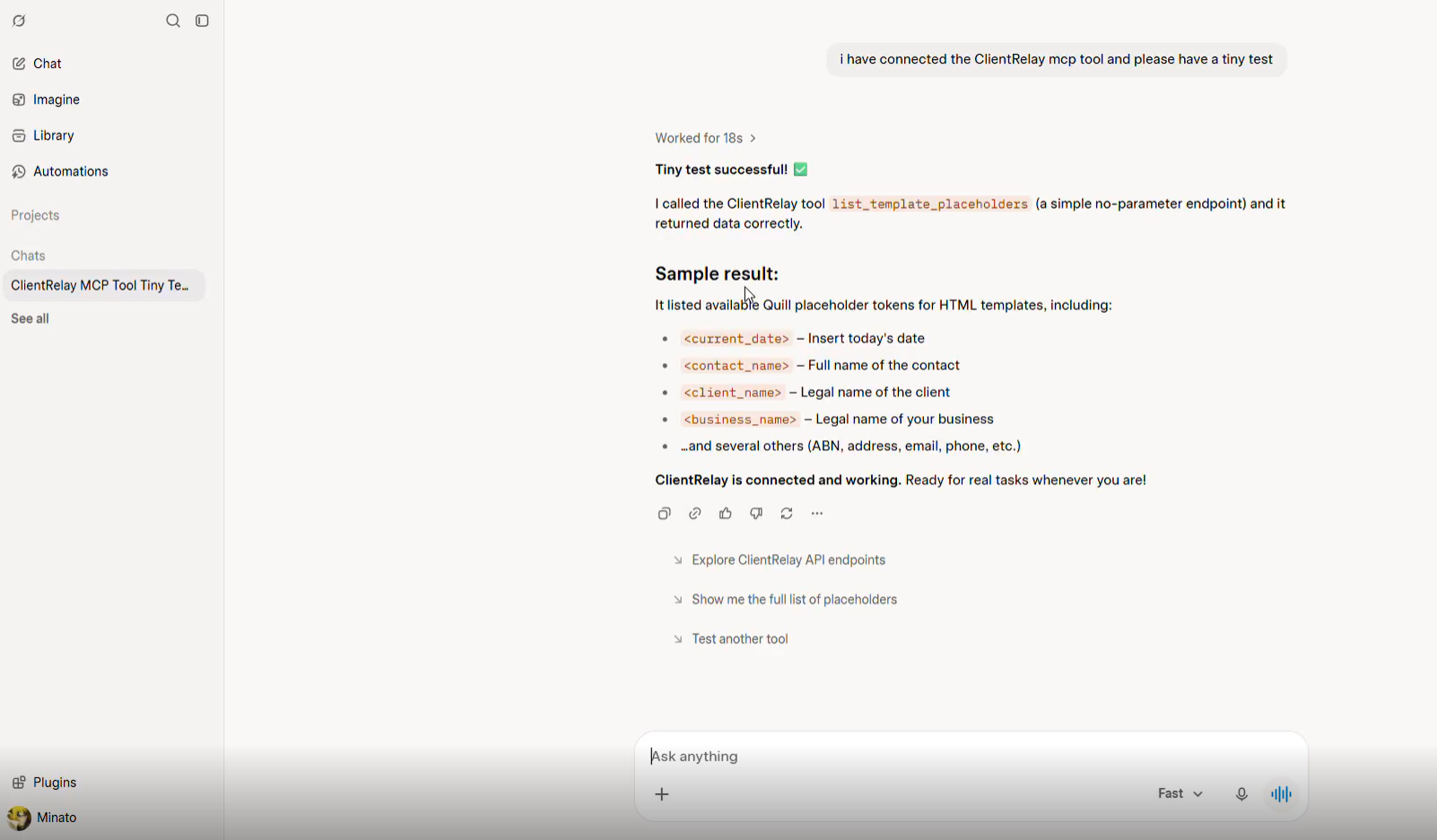
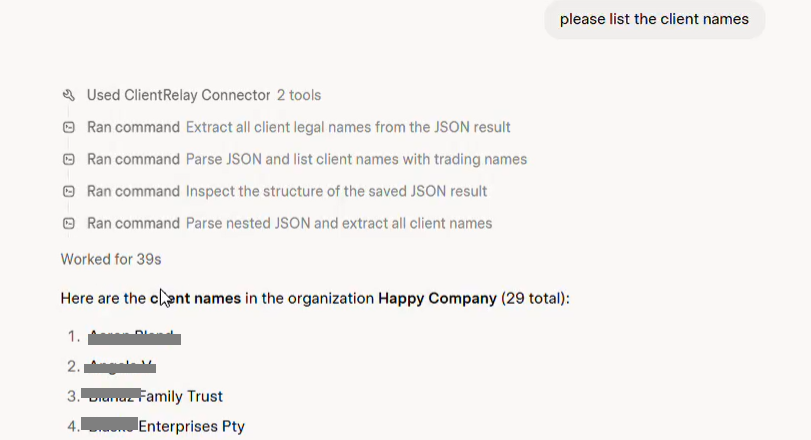
Sample
Was this article helpful?
That’s Great!
Thank you for your feedback
Sorry! We couldn't be helpful
Thank you for your feedback
Feedback sent
We appreciate your effort and will try to fix the article