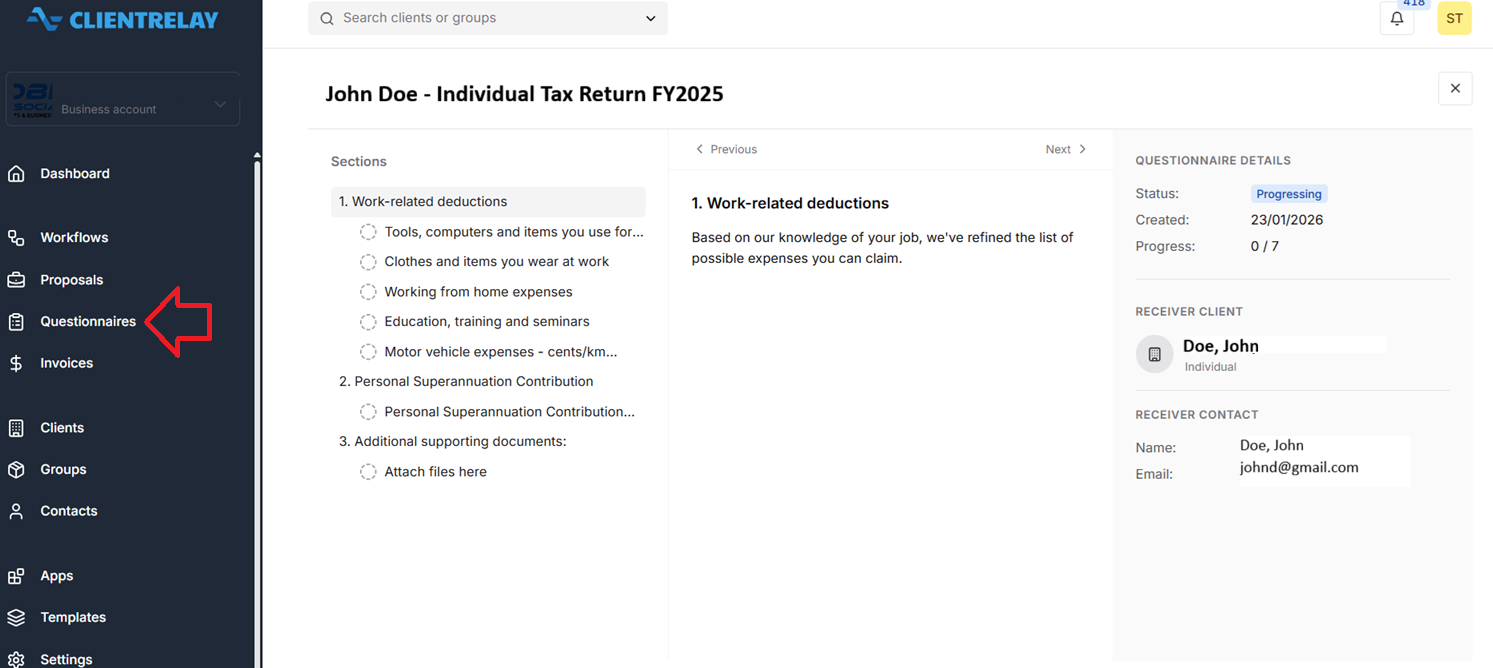
Questionnaires are what clients have to deal with in various ways i.e. filling in requested information such as a date or a place or attach relevant documents.
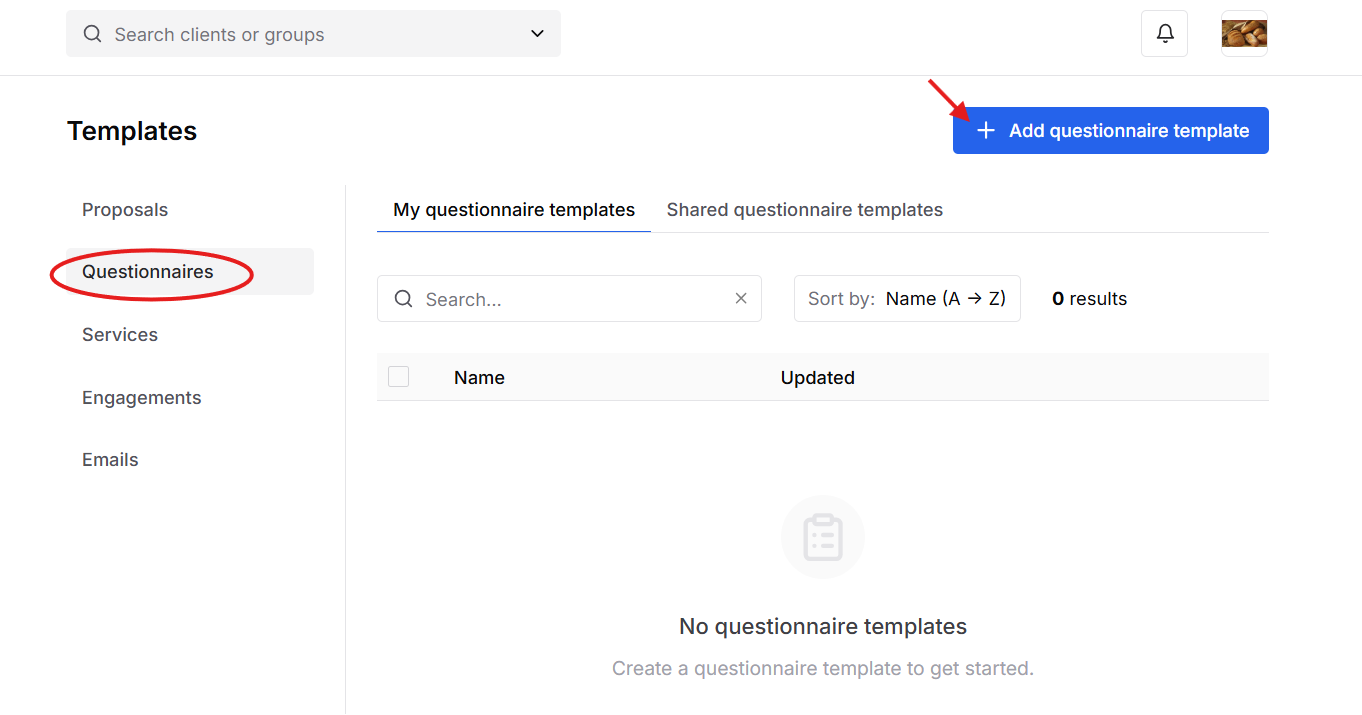
Step 1: Click on "Add questionnaire template" to set the name of the questionnaire.
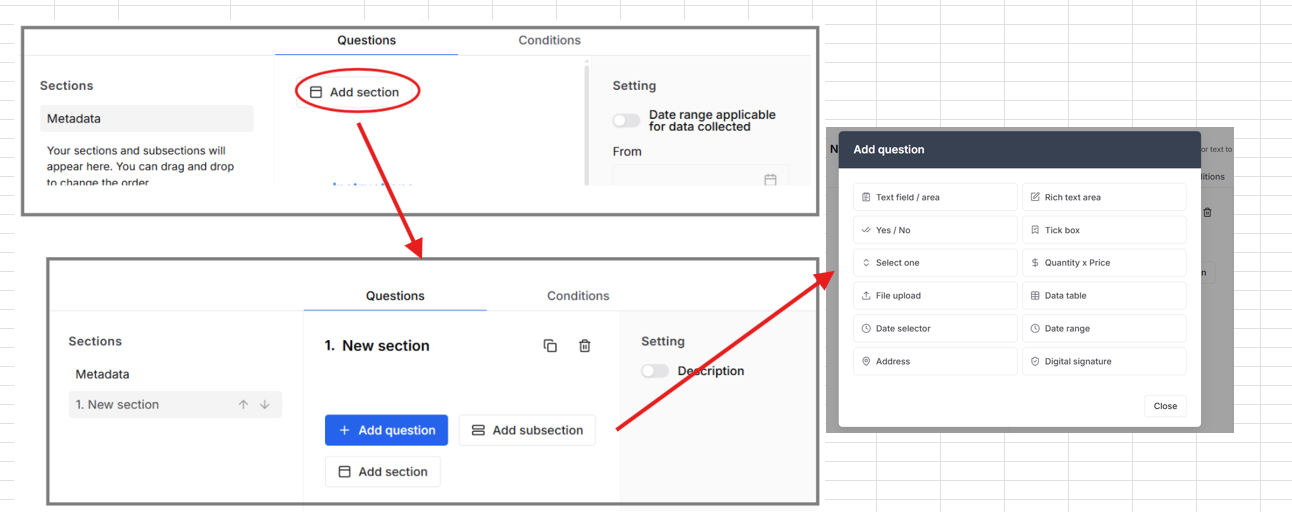
Start building your form by clicking on "Add section. Questionnaires have three layers. Sections, Subsections and Questions.
Note: Throughout this builder you can click on headings and text to edit.
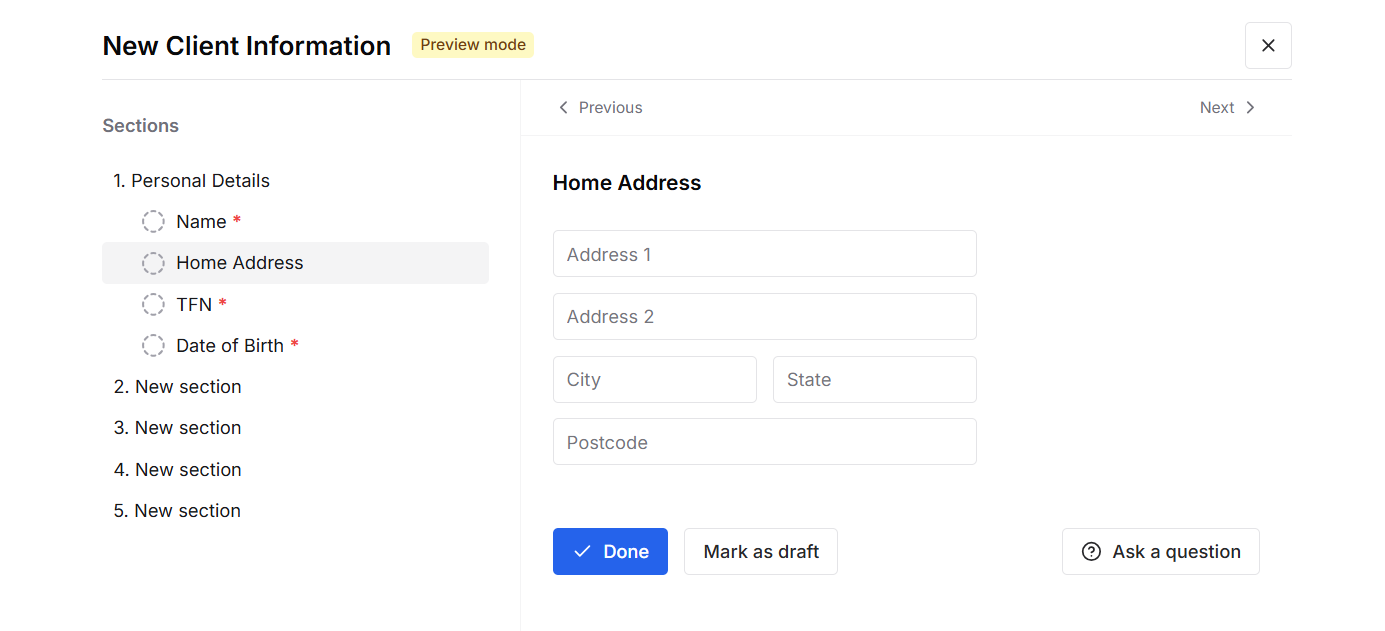
Click the "Preview" button in the top right to see what the form will look like to your clients.
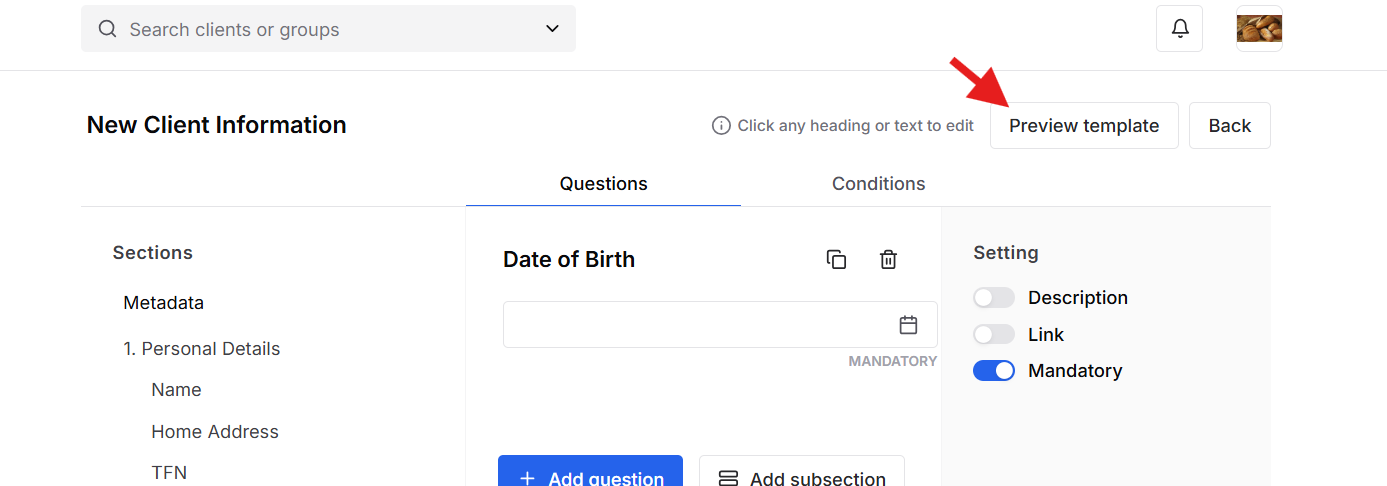
Result:
Was this article helpful?
That’s Great!
Thank you for your feedback
Sorry! We couldn't be helpful
Thank you for your feedback
Feedback sent
We appreciate your effort and will try to fix the article