Income Account determines where invoice revenue is recorded when invoices are synchronized with your accounting software. It helps ensure that income from services is allocated to the correct revenue account for accurate financial reporting and bookkeeping.
It is part of the"Service" Template-
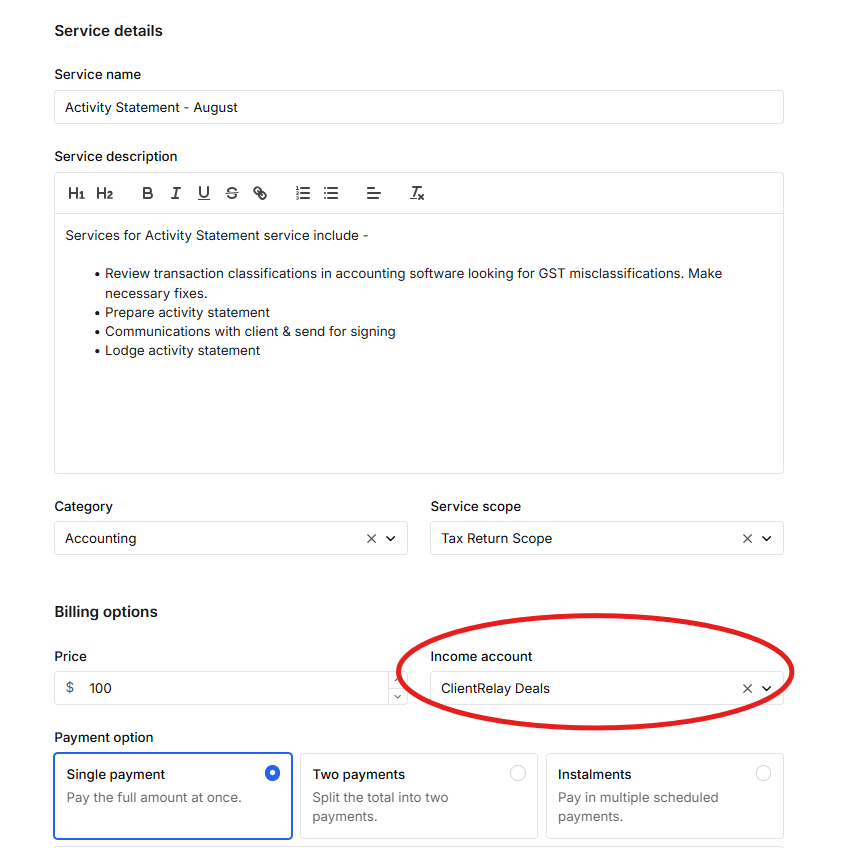
This allows income to be properly categorised within your financial reports.
Income Account is tied up to "Apps and Integration" settings, on how it was set up and for what method and services are to be recorded.
Step 1: QuickBooks Chart of Account
Create account to ensure revenue is allocated to the appropriate account. This helps keep the accounting records accurate.
Set-up new account in QuickBooks for Stripe Fees and offset.
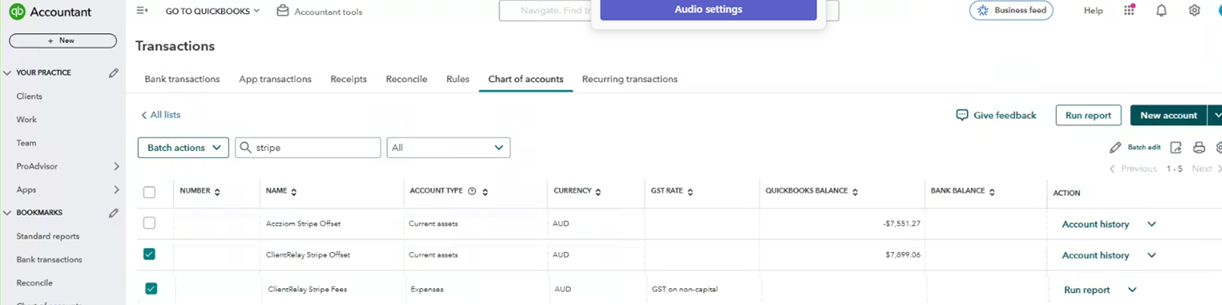
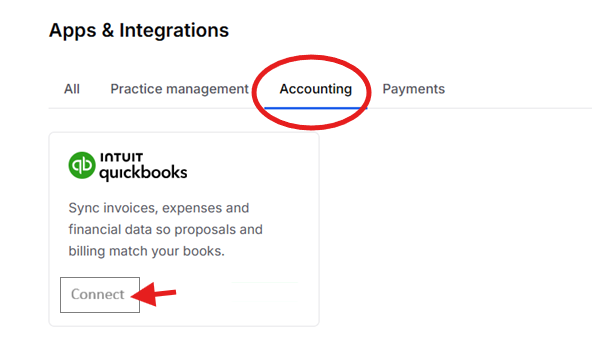
Step 2: Connect QuickBooks Via ClientRelay Apps & Integration
Select "Accounting", and press "Connect"
Navigate to "Income Account",
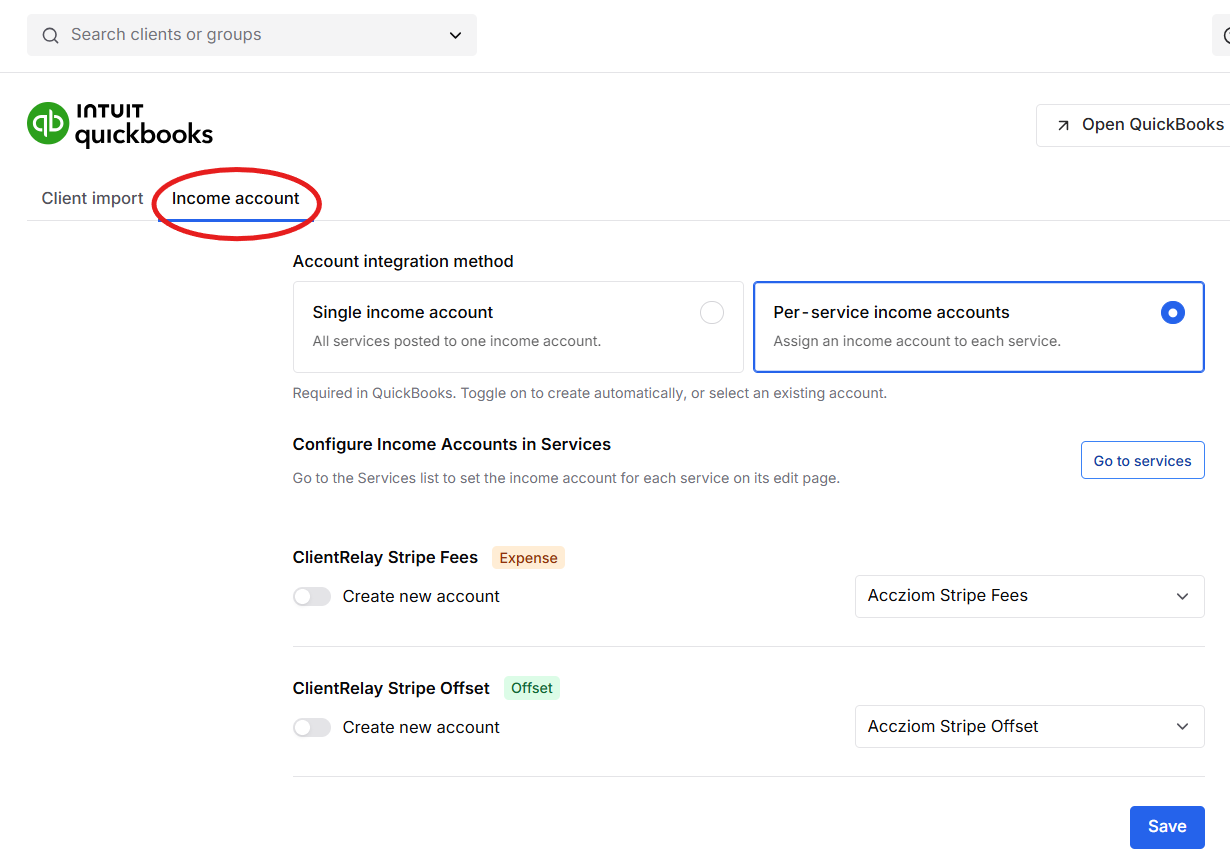
and select the Account
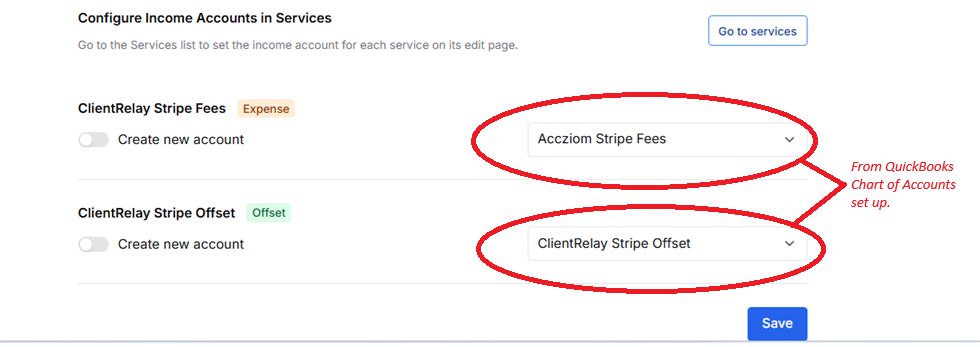
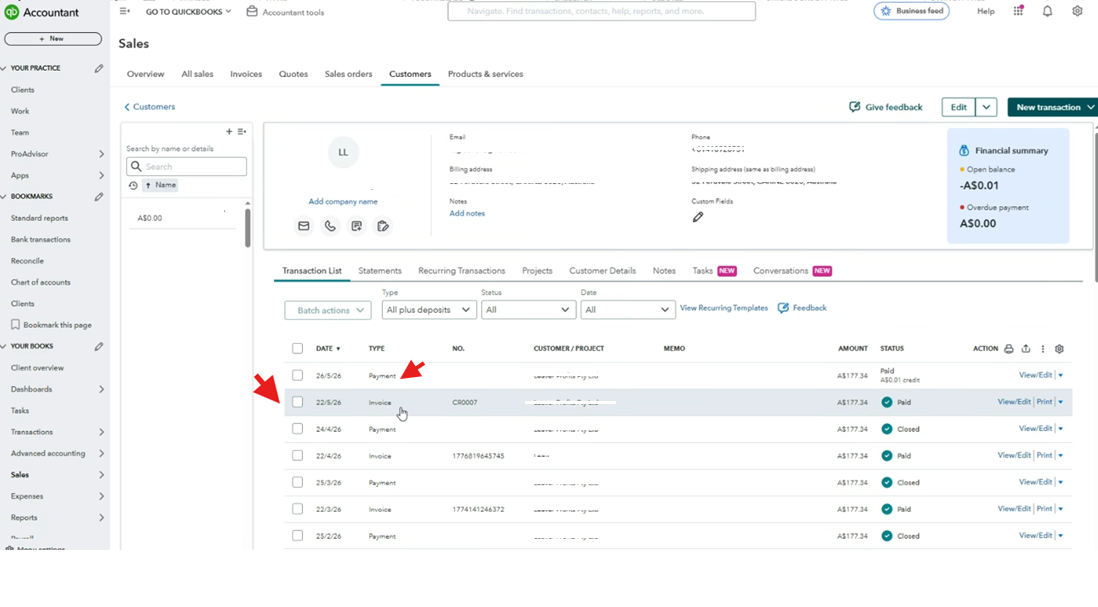
Once the set-up and configuration has been made, it auto generates invoice via QuickBooks.
Was this article helpful?
That’s Great!
Thank you for your feedback
Sorry! We couldn't be helpful
Thank you for your feedback
Feedback sent
We appreciate your effort and will try to fix the article